
Apraksts
Easily add geographical tags on a map when you write a post, and it will automatically create new countries and localities terms. You can also order those locations randomly or by date to define your routes.
Use the map as a widget, and pick your own colors to customize it. It is a SVG map that react to users actions (mouse over posts and terms links, click on route line…).
Ask your questions on the plugin page.
This plugin is open for contributions.
Known issues
An OVER_QUERY_LIMIT error from the Google Geocoding API is showing up way too often. If any contributor could take a look at the insert_term() function, that would be awesome.
Ekrānuzņēmumi
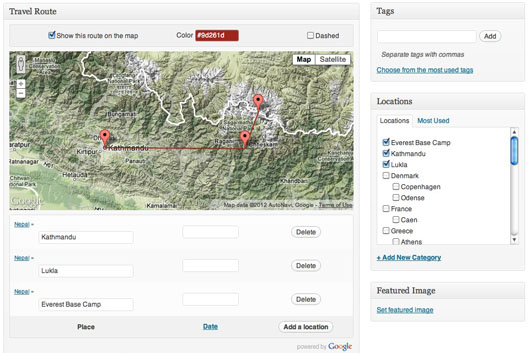


Uzstādīšana
- Upload “travel-routes” directory to your “/wp-content/plugins/” directory
- Activate the plugin through the “Plugins” menu in WordPress
- Start attaching locations to your posts
- Add the widget (the map) anywhere on your blog
- Tell me what you think about it
BUJ
- No questions so far
-
No answer neither.
Atsauksmes
Par šo spraudni nav atsauksmju.
Autori un izstrādātāji
“Travel Routes” ir atvērtā pirmkoda programmatūra. Šo spraudni ir veidojuši šādi cilvēki.
Līdzdalībnieki
Tulkot “Travel Routes” savā valodā.
Vai jūs interesē attīstība?
Pārlūkojiet kodu, apmeklējiet SVN krātuvi vai abonējiet attīstības žurnālu, ko izveidojis RSS.
Izmaiņu žurnāls
1.1
- Only keep interesting components (avoid unwanted street addresses).
1.0
- Solved the main Query Limit issue.
- Attached location is now the lowest level address component.
- Stable enough for version 1.0 !
0.4
- Don’t call Google API if known location.
0.3
- Fixed the JS bug on empty maps.
0.2
- Wrapping it with nice paper.
- Sharing it with you guys, but still some bugs to fix !
0.1
- First draft.