
Apraksts
Set country and IP to block your website. You can also set IP address to unblock for any special IP Address.
Ekrānuzņēmumi
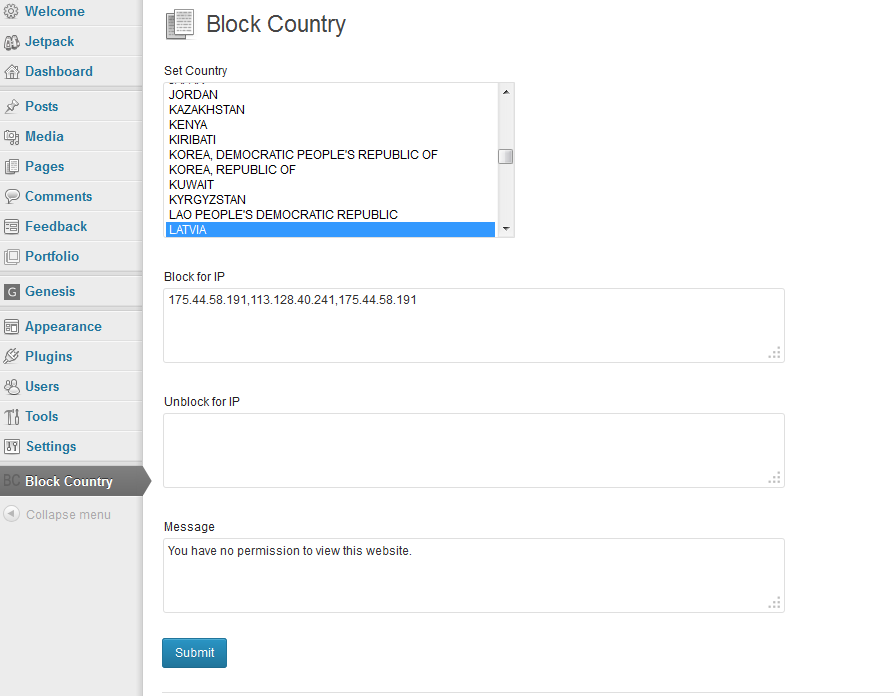
Block Country
Uzstādīšana
- Upload ‘block-country’ to the ‘/wp-content/plugins/’ directory
- Activate the plugin through the ‘Plugins’ menu in WordPress
- Click on the Block Country
- You can choose your country, IP address to block and enter your message. You can aslo set IP address to unblock for blocked country.
- Click on “Submit” button.
Atsauksmes

3 septembris, 2016
work like a charm. Installation in a blink of an eye and choice of country
I have setup the country i wanted to block
I have turn on a VPN with connection from that country
A gray screen appears instead of website.
Very simple to use. Dropdown menu with all countries.
Big surprise, the back end is not blocked. It is so clever! I can still work on the website even if i am located in the country i wanted to block. On the other hand, the users from that same country can’t see the front end.
SO COOL
I hope it will also support IPv6 someday

3 septembris, 2016
Made no difference in the number of Russian sites attacking my site (about 10-20 per day). Only tried to block Russia so I cannot make the comment more widespread.
Autori un izstrādātāji
“Block Country” ir atvērtā pirmkoda programmatūra. Šo spraudni ir veidojuši šādi cilvēki.
Līdzdalībnieki
Tulkot “Block Country” savā valodā.
Vai jūs interesē attīstība?
Pārlūkojiet kodu, apmeklējiet SVN krātuvi vai abonējiet attīstības žurnālu, ko izveidojis RSS.