

Apraksts
Display vertical carousel slider with the help of a shortcode.
Using shortcode [vertical-carousel-slider] , we can show carousel slider on page.
Plugin Features
- Simple and light weight
- Shortcode based
- Ability to add links to each image
- Easy to customize
- Looks cool :).
Ekrānuzņēmumi


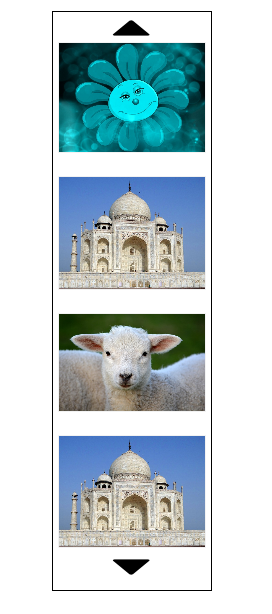
Uzstādīšana
- Upload the folder “wp-vertical-carousel-slider” to “/wp-content/plugins/” ‘
- Activate the plugin through the “Plugins” menu in WordPress .
- Add carousel image going to wp-admin->Vertical Carousel->Add New Image.
Call shortcode to your wordpress editor directly , by using
[vertical-carousel-slider]
Call shortcode to your php template file ,using
<?php echo do_shortcode('[vertical-carousel-slider]'); ?>
BUJ
- No technical skills needed.
Atsauksmes

25 jūnijs, 2019
Good job !

19 marts, 2018
It´s like a homework assignment thrown up here as if it were a finished plugin. It Could have been really good (hard to find a vertical carousel) but it is only 20& of the way to a usable plugin: it is only a minimum, no options, no sizing and no sign of development.
Author says it is “Easy to customize” but gives on clue as to how. There are no shortcode parameters or options available (not on the WP site, not on the author´s site, not in Support). For me the images are way too large, yet that question was never answered in support.
Autori un izstrādātāji
“Vertical Carousel” ir atvērtā pirmkoda programmatūra. Šo spraudni ir veidojuši šādi cilvēki.
Līdzdalībnieki
Tulkot “Vertical Carousel” savā valodā.
Vai jūs interesē attīstība?
Pārlūkojiet kodu, apmeklējiet SVN krātuvi vai abonējiet attīstības žurnālu, ko izveidojis RSS.
Izmaiņu žurnāls
1.0.2
- Bug fixes
- Update readme.txt
1.0.1
- Bug fixes
- Update readme.txt
1.0.0
- Initial release