Pāriet uz saturu
WordPress.org

Latviešu valodā

  • Tēmas
  • Spraudņi
  • Jaunumi
  • Par
  • Iegūstiet WordPress
Iegūstiet WordPress
WordPress.org

Plugin Directory

hideShowPassword

  • Iesniegt spraudni
  • Mani favorīti
  • Pieslēgties
  • Iesniegt spraudni
  • Mani favorīti
  • Pieslēgties

Šī spraudnis nav atjaunināts vairāk kā divus gadus. Varbūt, tas vairs netiek uzturēts, nesaņemt atbalstu un tam var būt saderības problēmas ar jaunākām WordPress versijām.

hideShowPassword

Autors Barry Ceelen
Lejupielādēt
  • Sīkāka informācija
  • Atsauksmes
  • Uzstādīšana
  • Attīstība
Atbalsts

Apraksts

Lets you easily show or hide the contents of the password field on the WordPress login screen. Uses the excellent hideShowPassword jQuery plugin by the equally excellent Cloud Four.

Suggested reading: “a compendium of why and how to show passwords and what’s coming next” by Luke Wroblewski.

Iespējas

A settings section is added to the ‘General Settings’ page. You can select between toggling password visibility via an icon in the password field (default) or via a checkbox below the password field.

Tulkojumi

The default setting of toggling the password via an icon in the password field does not require translation as no text will be visible to the user. If you select the option of toggling the password via a checkbox, the following translations are included:

  • Holandiešu
  • Vācu

Github

Fork me on Github.

Ekrānuzņēmumi

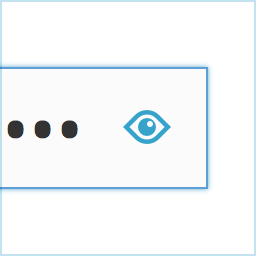
Adds an icon to the password field on the login screen.
Show your password by clicking the icon.
Alternatively, toggle the password via a checkbox labeled "Show Password".
Alternatively, toggle the password via a checkbox labeled “Show Password”.

Uzstādīšana

  1. Install hideShowPassword either via the Plugins Add New Screen, or by uploading the files to your server
  2. Activate the plugin through the ‘Plugins’ menu in WordPress

BUJ

Installation Instructions
  1. Install hideShowPassword either via the Plugins Add New Screen, or by uploading the files to your server
  2. Activate the plugin through the ‘Plugins’ menu in WordPress

Atsauksmes

Woocommerce Admin Only?

flyingkites 3 februāris, 2022
Seems to only work on the admin login. Does not work on the site login for Woocommerce.

Password protected pages

josanto48 9 janvāris, 2020
Is there any way to use it on password protected pages?

Indispensable

lhberg 5 augusts, 2019
is it possible to motivate you to update the plugin for WP 5.x compatibility by sending you some bucks for the coffee you’ll need? If yes, please provide a donation link on the plugin page! Thanks, Lukas

It Works!

the masked cat 11 aprīlis, 2018
I am using WP 4.9.5 and this old buddy still works.
Lasīt 6 atsauksmes

Autori un izstrādātāji

“hideShowPassword” ir atvērtā pirmkoda programmatūra. Šo spraudni ir veidojuši šādi cilvēki.

Līdzdalībnieki
  • Barry Ceelen

“hideShowPassword” ir tulkots lokalizācijā 1. Paldies tulkotājiem par ieguldījumu.

Tulkot “hideShowPassword&#8221 savā valodā.

Vai jūs interesē attīstība?

Pārlūkojiet kodu, apmeklējiet SVN krātuvi vai abonējiet attīstības žurnālu, ko izveidojis RSS.

Izmaiņu žurnāls

2.0.1

  • For WordPress version 4.3 and up, Dashicons is used for the toggle icon.

2.0.0

  • Adds the option of toggling password visibility via a checkbox below the password field
  • Update hideShowPassword.js to version 2.0.4

1.0.4

  • Update hideShowPassword.js to version 2.0.3, fixes #11, #13

1.0.3

  • Update hideShowPassword.js to version 2.0.1, fixes #10

1.0.2

  • Update hideShowPassword.js to version 1.0.3, set touchSupport to true

1.0.1

  • Hide default Internet Explorer 10 control for toggling password visibility

1.0.0

  • Initial version

Meta

  • Versija 2.0.1
  • Pēdējo reizi atjaunots: pirms 8 gadiem
  • Aktīvās instalācijas: 400+
  • WordPress versija 3.5.1 vai jaunāka
  • Pārbaudīts līdz: 4.9.29
  • Valodas

    English (US) un Swedish.

    Tulkojiet savā valodā

  • Birkas:
    loginpasswordshow passwordtoggle
  • Papildu skats

Vērtējumi

4.5 no 5 zvaigznēm.
  • 4 5-star reviews 5 zvaigznes 4
  • 1 4-star review 4 zvaigznes 1
  • 1 3-star review 3 zvaigznes 1
  • 0 2-star reviews 2 zvaigznes 0
  • 0 1-star reviews 1 zvaigzne 0

Your review

Skatīt visas atsauksmes

Līdzdalībnieki

  • Barry Ceelen

Atbalsts

Jums ir kaut kas ko teikt? Vajadzīga palīdzība?

Skatīt atbalsta forumu

  • Par
  • Jaunumi
  • Uzturētājs
  • Privātums
  • Vitrīna
  • Tēmas
  • Spraudņi
  • Modeļi
  • Uzziniet
  • Atbalsts
  • Izstrādātāji
  • WordPress.TV
  • Iesaistieties
  • Pasākumi
  • Ziedot
  • Pieci nākotnei
  • WordPress.com
  • Matt
  • bbPress
  • BuddyPress
WordPress.org
WordPress.org

Latviešu valodā

  • Apmeklējiet mūsu X (agrāk Twitter) kontu
  • Apmeklējiet mūsu Bluesky kontu
  • Apmeklējiet mūsu Mastodon kontu
  • Apmeklējiet mūsu Threads kontu
  • Apmeklējiet mūsu Facebook lapu
  • Apmeklējiet mūsu Instagram kontu
  • Apmeklējiet mūsu LinkedIn kontu
  • Apmeklējiet mūsu TikTok kontu
  • Apmeklējiet mūsu YouTube kanālu
  • Apmeklējiet mūsu Tumblr kontu
Kods ir dzeja.
The WordPress® trademark is the intellectual property of the WordPress Foundation.