
Apraksts
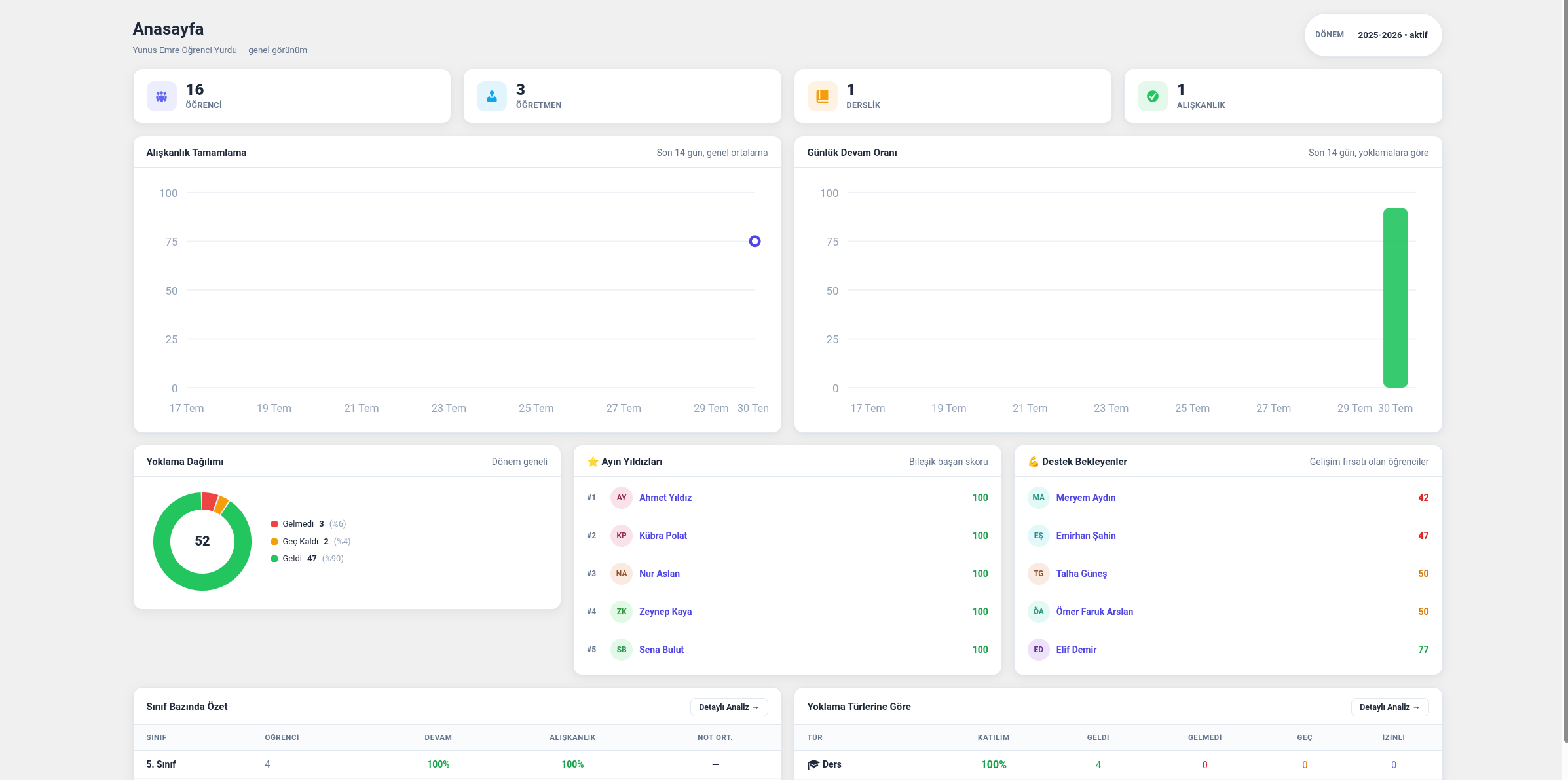
Nizamiye is a comprehensive, term-based student tracking plugin built for boarding schools,
schools and educational institutions. From student, teacher and parent management to attendance,
grade entry, habit tracking and visual reports, it brings together the essential tracking tools
an institution needs in a single panel.
Key Features
- Student / Teacher / Parent Management — a dedicated WordPress user role for each role, with direct redirection to the panel after login.
- Classroom management — quick student assignment via a class filter and bulk-selection roster screen.
- Sections and bulk classroom creation — a student is enrolled into a section (6-A, 6-B) for the term. The bulk wizard multiplies subjects by grade/section combinations and opens every classroom in one pass, filling each roster from the section. Classrooms linked to a section pick up newly enrolled students automatically; removals always require confirmation, so clubs, study groups and deliberate exceptions are never silently undone.
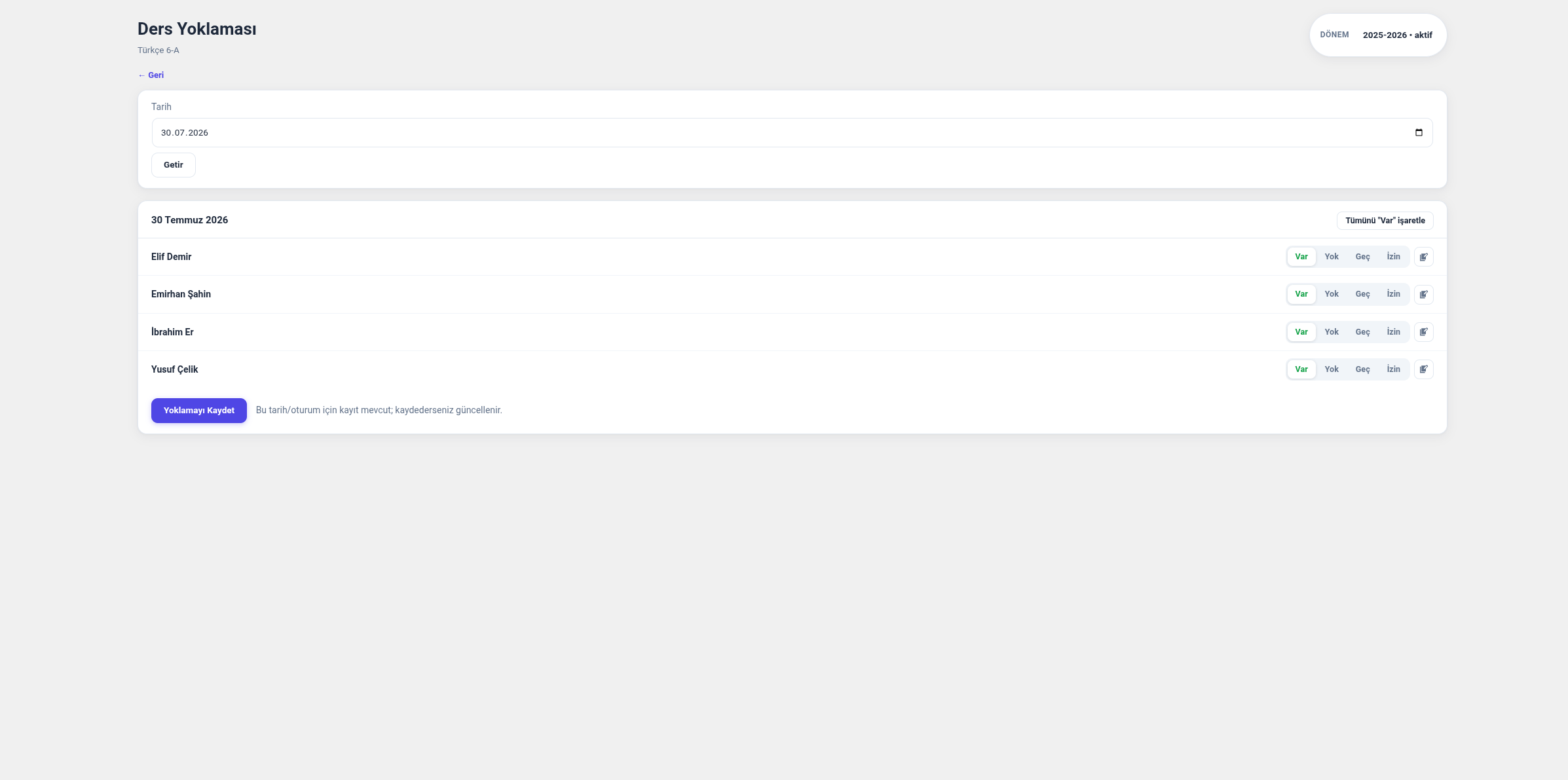
- Category and session based attendance — in addition to regular class attendance, general categories such as prayer times, cleaning duty and phone checks; the administrator can define new categories/sessions and choose which grade levels each category applies to.
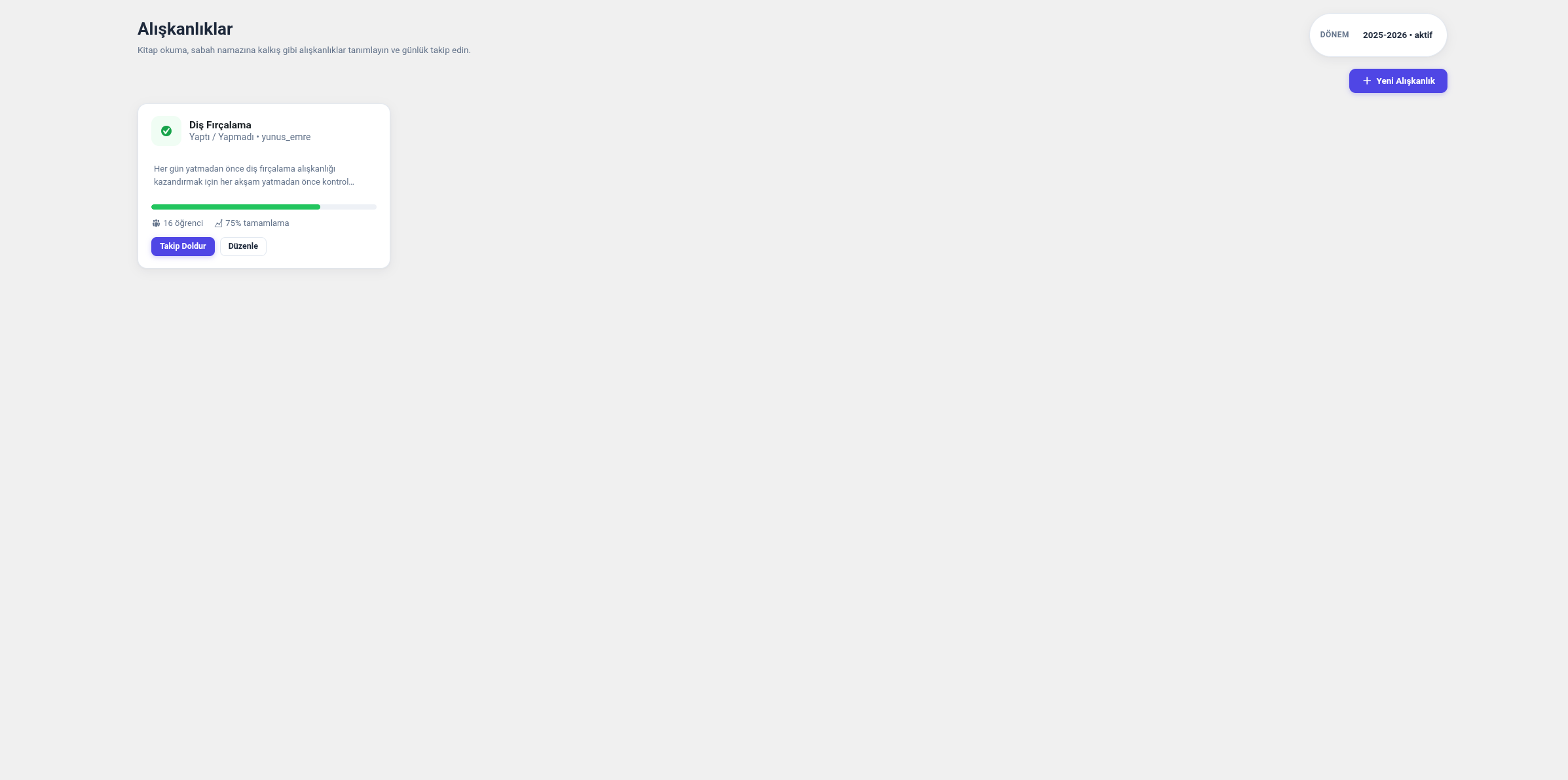
- Habit tracking — Done/Not done, graded (1 to N), or book/page tracking (daily book title + pages read) methods.
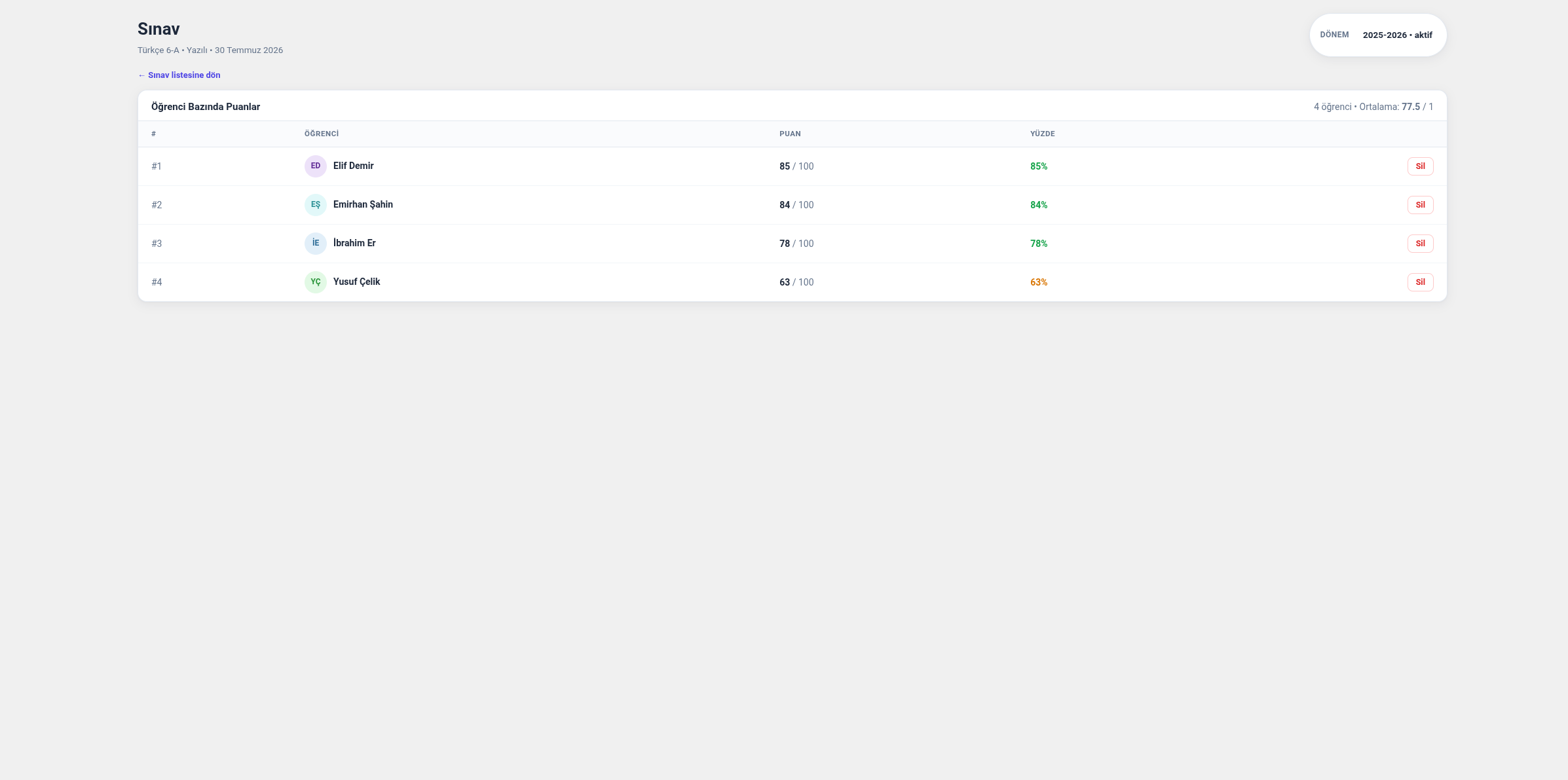
- Grade entry and bulk upload — classroom-based exam grades; CSV template download and bulk upload support.
- Reports — analysis tabs for attendance, habits, grades and overall performance, grouped by student or class; date-range or month/year filtering.
- Parent notification lists — daily, weekly or monthly single-page roster reports for a habit or an attendance type, showing every student by name (for book reading: the books read and the page total). Downloadable as PDF, PNG or JPG so it can be sent to parents directly.
- PDF Report Cards — generates a real, downloadable
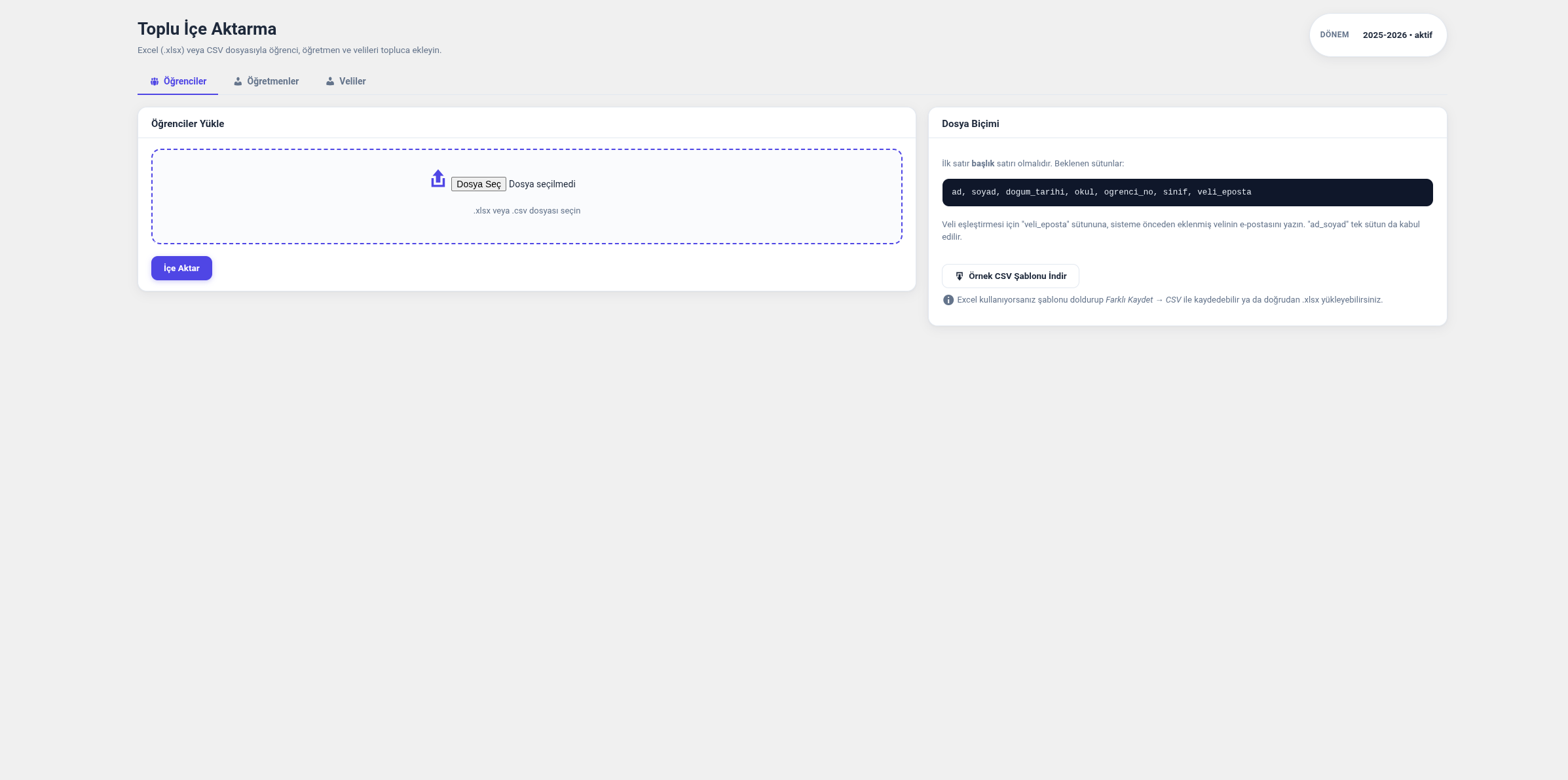
.pdfreport card for every student; from the Report Cards page you can select multiple students and download their report cards in bulk as a single ZIP file (one PDF per student). - Bulk import — import student/teacher/parent lists via Excel (.xlsx) or CSV, with sample templates.
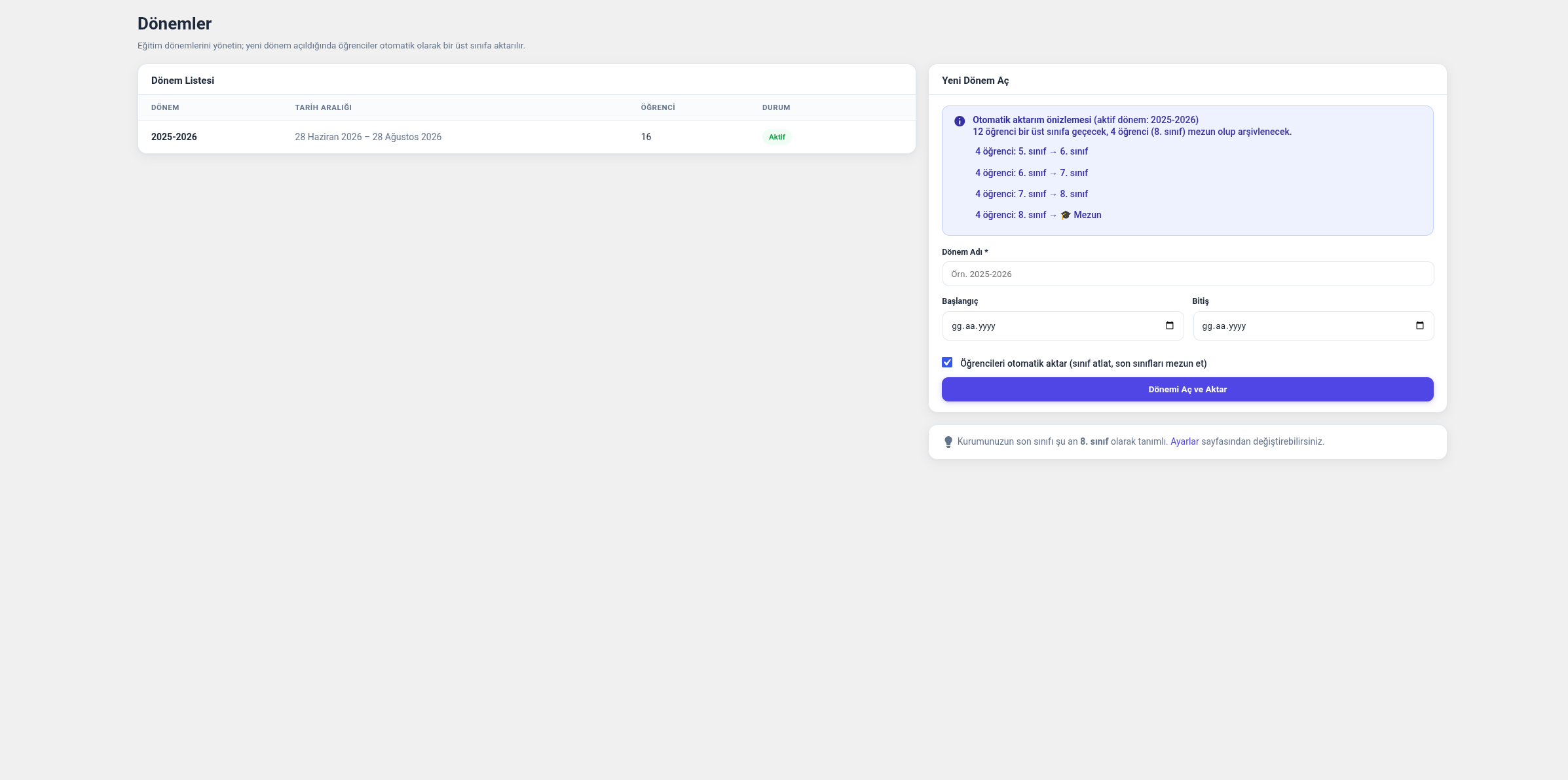
- Term transition — when a new term opens, all students are automatically promoted to the next grade; those at the graduation level are marked as graduated and archived.
- Record-level access control — teachers only see their own classrooms/students, parents only see their own children.
Roles
- Administrator — full access.
- Teacher — attendance/grade/habit entry for their own classrooms, viewing their own students.
- Parent — viewing only their own children’s report cards.
- Student — viewing only their own report card.
Third-Party Library
PDF generation (report cards and roster reports) is done server-side using the
Dompdf library (LGPL licensed, GPL compatible), which is
bundled with the plugin. Dompdf is configured so it never makes requests to remote servers
(isRemoteEnabled is disabled); the plugin does not send any data to external services.
PNG/JPG download of roster reports is done in the browser with
html2canvas 1.4.1 (MIT licensed), bundled unminified
under assets/vendor/. It only runs on the roster report screens, works entirely client-side and
makes no network requests.
Ekrānuzņēmumi
Uzstādīšana
- Upload the plugin files to the
wp-content/plugins/nizamiyefolder (or upload the zip file via Plugins Add New Upload Plugin). - Activate Nizamiye from the Plugins page.
- Open the Okul Yönetimi menu that appears in the left sidebar, go to Settings, and set your institution’s name and the graduation grade level.
- Create your first term from the Terms page, then add or bulk-import your teacher/parent/ student records.
BUJ
-
Is student data deleted when the plugin is uninstalled?
-
No, data is preserved by default. If you also want the data to be removed, add the line
define( ‘NIZAMIYE_REMOVE_DATA_ON_UNINSTALL’, true ); to yourwp-config.phpfile. -
Does the plugin send data to any external service?
-
No. All data is stored in custom tables prefixed
wp_nizamiye_*in your own database; no requests
are sent to any remote server. PDF generation is also done entirely server-side with the bundled
Dompdf library. -
I need multiple classrooms/sections, is that supported?
-
Yes. Classrooms are defined as independent sections (e.g. “Turkish 6-A”), and each classroom can
have a teacher and students assigned to it. -
Can I define custom attendance categories, like prayer times?
-
Yes. From the Attendance Types page you can define new categories and sessions (times/slots),
and choose which grade levels each category appears in. -
Can I download report cards in bulk?
-
Yes. On the Report Cards page you can select students with checkboxes (including “select all”)
and download a single ZIP file containing a separate PDF for each student.
Atsauksmes
Par šo spraudni nav atsauksmju.
Autori un izstrādātāji
“Nizamiye” ir atvērtā pirmkoda programmatūra. Šo spraudni ir veidojuši šādi cilvēki.
Līdzdalībnieki
Tulkot “Nizamiye” savā valodā.
Vai jūs interesē attīstība?
Pārlūkojiet kodu, apmeklējiet SVN krātuvi vai abonējiet attīstības žurnālu, ko izveidojis RSS.
Izmaiņu žurnāls
1.7.0
- Habit and attendance roster reports can now be printed in a second layout. Alongside the
existing “classic” (data-dense) sheet there is a “poster” layout: large type, colour-coded
chips and an A4 masthead, meant to be sent to parents or pinned on a wall. The layout is
picked from the filter row on each report screen and its default from the Settings page;
the choice drives the on-screen preview and the PDF, PNG and JPG downloads together. - Report titles are no longer fixed strings. A sheet is named after the attendance type or the
habit itself, so “Evening Study Attendance” and “Morning Assembly” print under their own names. - The scope shown on a poster is derived from the data rather than typed in. A classroom-scoped
attendance shows the classroom name; a filtered report shows the filter; an unfiltered one
reads the sections present in the list (“4 · 5 · 6. Sınıf”, or “Tüm Sınıflar (7)”). - Attendance covering more than one section now breaks the table up by section, with a divider
row carrying each section’s headcount, while the ordinal keeps running across the whole list. - The poster form for a single day prints tick columns for present and absent plus an
explanation box, and leaves empty circles where no record exists, so it can also be filled
in by hand on paper. - Reading posters can be marked by hand with “continued their homework” or “did not attend”.
These two states are only needed on the printout, so nothing is written to the database:
the mark is applied to the preview, carried to the server-rendered PDF through the download
link, and remembered in the browser between refreshes. - Fixed Turkish uppercasing in printed sheets. CSS
text-transform: uppercasemapsitoI,
where Turkish requiresİ, which printed “KITAP OKUMA ÇIZELGESI” and “ÖĞRENCI”. Uppercasing
now happens in PHP with the Turkish mapping, in both the classic and poster layouts. - Fixed the preview page width. The on-screen sheet had no fixed width and spread to fill the
admin area, so the PNG and JPG downloads — which are photographs of the preview — came out
stretched on wide screens. The preview now matches the PDF content area exactly (190mm
portrait, 277mm landscape) and follows the selected PDF orientation.
1.6.0
- A homeroom teacher is now responsible for sections rather than whole grade levels. The
responsibility list holds grade/section pairs (“6” for a whole grade, “6-A” for one section),
so the homeroom teacher of 6-A only sees their own section when taking prayer, cleaning or
phone attendance. Existing assignments keep working unchanged and need no migration. - Section filters were added to the attendance sheet, the parent roster reports and the Reports
page; the class summary now breaks down by section. Report cards, the parent page and the
student list show “6-A” where a section is set, and fall back to “6. Sınıf” where none is. - Added an alerts card at the top of the dashboard answering “what needs attention today”,
alongside the existing analytical cards: students absent several days running, students who
have not read a book in the last 7 days, and students whose recent exam average has dropped
against their own earlier average. Teachers only see their own students. - A day counts as missed only when every record for that attendance type is an absence, so
missing one of the five daily prayers is not treated as absence. Consecutive days are counted
over days that have records, so weekends and holidays do not break a streak. - The absence and grade-drop thresholds are configurable on the Settings page.
1.5.0
- Sections (6-A, 6-B) are now real data: a student is enrolled into a section for the term,
instead of the section existing only as text inside a classroom name. Sections can be assigned
from the student list in bulk, from the student edit screen, or through asubecolumn when
importing; an importedsinifcell written as “6-A” is split into grade and section. - Added a bulk classroom wizard (Classrooms Create Classrooms in Bulk). It multiplies the
subjects you list by the grade/section combinations you tick, opens every classroom in one
pass and fills each roster from the section. It is idempotent: a classroom that already exists
for the same subject, grade and section is skipped, so the wizard can safely be re-run. - A classroom can be linked to its section. Newly enrolled students are added to linked
classrooms automatically, but nothing is ever removed without confirmation: the classroom
screen shows how many students would be added and removed and asks before applying. This keeps
clubs, study groups and deliberate exceptions from being undone silently. - Section is carried over when a new term is opened (6-A becomes 7-A); a checkbox on the new
term form turns this off so sections can be redistributed instead. - Fixed a latent defect in the student save routine: when no status was supplied the code read
an undefined array key, emitting a PHP 8 warning and writing a null status. Both existing call
sites passed a status, so the plugin was not affected in practice.
1.4.0
- Added daily / weekly / monthly roster reports for habits and attendance, intended to be sent
to parents. Each report is a single-page list of every student by name: for a book reading
habit it shows the book title and page count for the day, or the books read and the page total
for the week/month; for attendance it shows the status for the day, or the present/absent/late/
excused counts and the participation rate for the week/month. - The period filter offers Daily / Weekly / Monthly. In weekly mode, picking a month lists that
month’s Monday-Sunday weeks; a week that crosses a month boundary keeps its real date span and
is labelled accordingly (for example “31 August – 6 September”). - Each report can be downloaded as PDF (server-side, Dompdf), or as PNG/JPG (in the browser,
html2canvas). The on-screen preview, the PDF and the image all come from the same template and
the same stylesheet, so the three cannot drift apart. Row density adapts to the number of
students and A4 orientation can be switched to landscape so long lists still fit one page. - Reports are reachable from the “Report” button on each habit card, from the habit tracking
screen and from the attendance sheet. - The habit analysis tab on the Reports page now honours the date filter. Previously it always
covered the whole term because the underlying query did not filter by log date; the CSV export
of that tab was affected in the same way. Habit column headers now link to that habit’s roster
report for the selected range.
1.3.6
- Verified against WordPress 7.1 and raised “Tested up to” to 7.1. No code changes were
needed: the plugin lives entirely in the classic admin, registers no block editor
assets, does not integrate with the media modal and carries no jQuery or jQuery UI
dependency, so the 7.1 always-iframed post editor, client-side media processing and
jQuery UI 1.14.2 changes do not affect it. - Added the changelog entries for 1.3.2 – 1.3.5, which were missing from earlier releases.
- Added a Turkish translation of this readme as
readme-tr_TR.txt.
1.3.5
- Fixed tab and term switching links. The nonce validation added to the plugin’s GET
parameters was not carried by some of the links the plugin generated itself, so
clicking a tab (for example “Teachers” on the Import page), a term selector or a
“back” / “add new” / “detailed analysis” link silently fell back to the first tab or
to the active term instead of the one that was clicked.
1.3.4
- Fixed a fatal error on activation. After the rename to Nizamiye the main plugin file
required nineincludes/class-nizamiye-*.phpfiles that had not been renamed yet, so
the plugin failed to load with a “Failed opening required” error and could not be
activated at all.
1.3.3
- Resolved the last remaining Plugin Check warnings in the shared helper functions file.
1.3.2
- Prefixed every variable used in the view files with
nizamiye_, so the plugin can no
longer collide with global variables coming from the theme or from other plugins.
1.3.1
- The report card’s “Attendance Summary” now shows a separate percentage for each attendance
category (previously all categories were shown mixed into one total); multi-session categories
(such as prayer times) are listed with their sub-breakdowns. - Added bulk student selection to the Report Cards page and bulk ZIP download of the selected
students’ report cards (one PDF per student). - PDF report card download now relies on a real
.pdffile generated server-side with the
bundled Dompdf library, instead of the browser’s print function. - When adding a reading habit, books the student has previously read are now suggested
automatically.
1.3.0
- Added grade-level restriction for general attendance categories (e.g. prayer times).
- Added book/page tracking habit type.
- Added month/year based date filter to reports.
- Limited the “Recent Attendance” list on the report card to 3 records.
1.2.2 – 1.2.4
- Improved mobile sidebar and attendance screen layout.
- Post-login performance: repeated queries are now cached, and the database version check now
only runs in the admin panel. - Added session (time slot) based breakdown to attendance reports.
- Fixed an issue where logging out from the profile menu did not work on mobile.
1.2.0
- Added analysis report tabs, a safer bulk grade upload flow, and interface simplification.
- Added a CSV export button to analysis tables.
1.1.0
- Added bulk import (Excel/CSV) and category/session based attendance system.
1.0.0
- Initial release: term-based student tracking infrastructure, student/teacher/parent
management, basic attendance, grade and habit tracking.