
Apraksts
Payshen for WooCommerce connects your store to Payshen, a payment orchestration platform. Instead of a single payment gateway, your checkout uses every payment provider you work with, and each payment goes to the provider most likely to approve it at the best cost.
Payshen is a technology provider: it never holds your money. Your payment providers collect the payments and pay you out, exactly as they do today.
Why store owners use it
- More approved orders. Payshen learns which provider approves which payments best (by country, currency, amount and card) and routes each payment there. When a provider has a technical problem, or declines a payment another provider might approve, the next one is tried. A customer who comes back to pay a declined order is sent to a different provider first.
- Lower fees. Routing weighs each provider’s fees against its approval rate, so you keep more of each sale.
- One plugin, many providers. Stripe, Adyen, Checkout.com, PayPal, Klarna, Mollie, Worldpay, Nuvei, dLocal, Razorpay, Mercado Pago and dozens more, managed in one Payshen dashboard. Add or switch a provider without touching your store.
- No single outage takes checkout down. A provider that stops answering is set aside automatically until it recovers.
Features
- Connect with Payshen: sign in and approve the store. Its API keys and webhooks are set up for you, nothing to copy.
- Card details are entered on your payment provider’s secure page and never touch your store, which keeps your PCI scope small.
- Cards, bank payments, wallets, pay later and crypto. You choose which kinds to offer, and customers see only what your providers can take.
- Works with the WooCommerce Cart and Checkout blocks and with the classic checkout.
- Compatible with High-Performance Order Storage (HPOS).
- Orders update by themselves through signed webhooks, with scheduled status checks for 48 hours as a safety net.
- Refunds from the order screen, in full or in part.
- Manual capture: authorize at checkout, capture when you ship, release by cancelling the order.
- 3-D Secure and other customer authentication handled on the payment page.
- Test mode with the Payshen sandbox: place test orders, no money moves.
- Clear logs under WooCommerce > Status > Logs. Keys and customer details are never written to them.
How it works
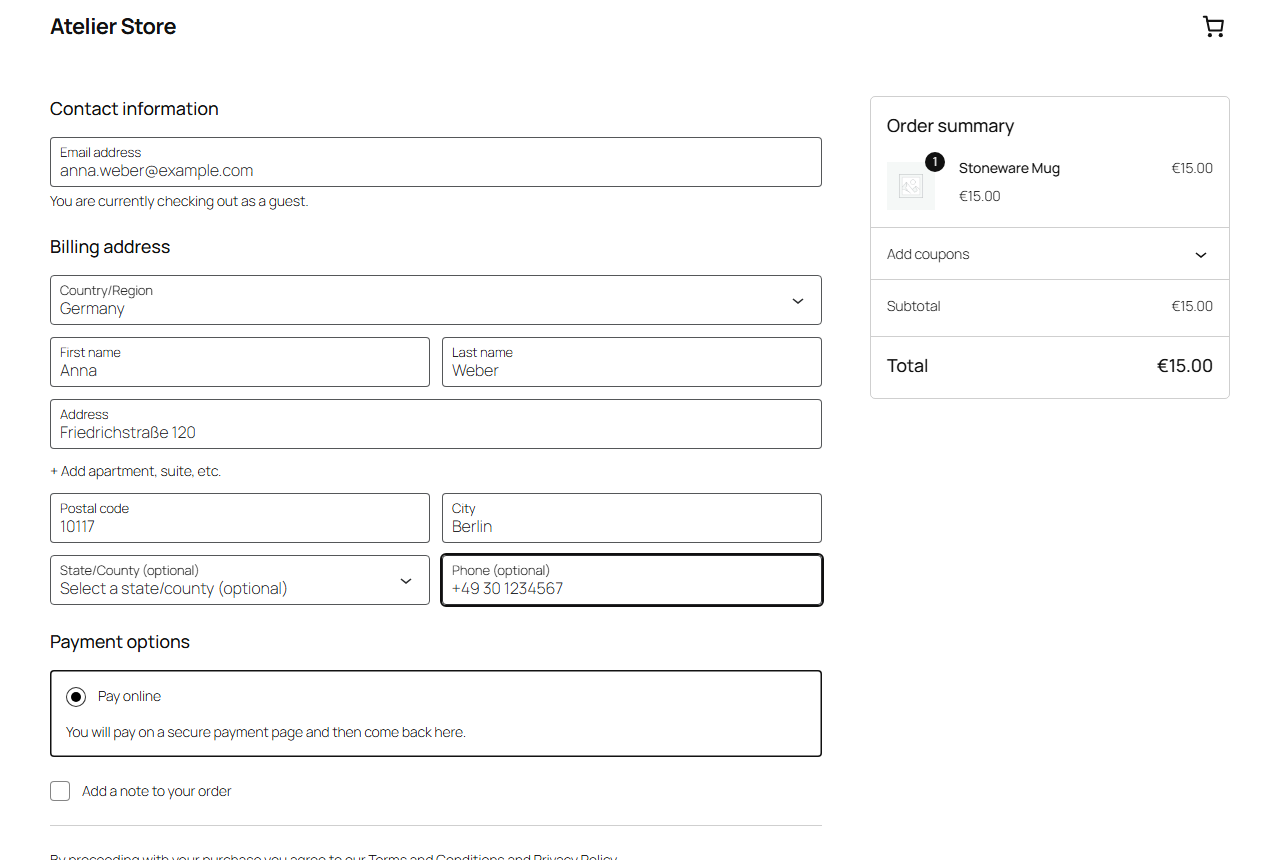
- The customer picks the payment option your store shows, titled “Pay online” unless you rename it. When it is the only payment method, WooCommerce selects it for them.
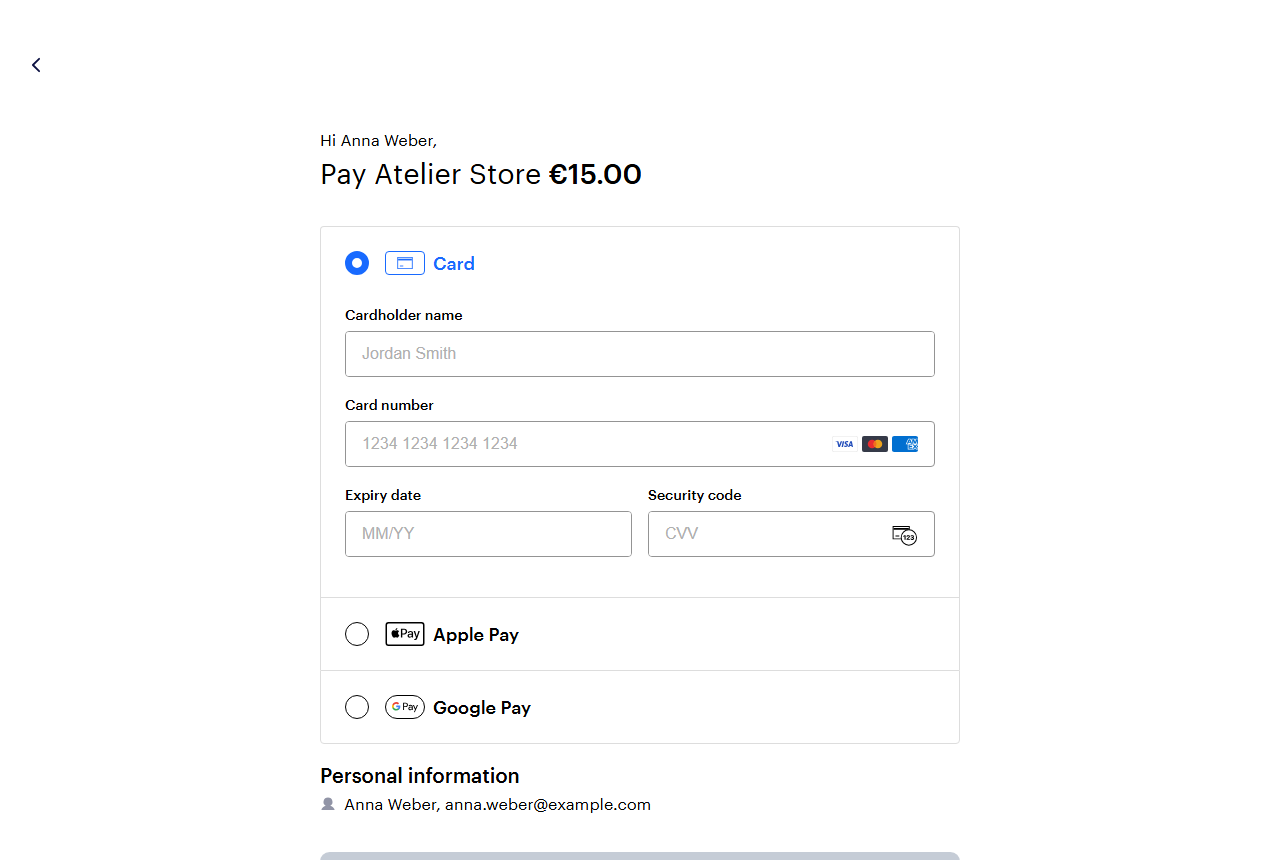
- Payshen works behind your checkout: it routes the payment to the best of your providers, and the customer pays on that provider’s secure page. Payshen is not named and the customer has nothing extra to choose.
- The customer comes back to your order received page.
- The order moves to Processing (or On hold, with manual capture) as soon as the payment is confirmed.
Requirements
- A Payshen account. Payshen is a paid service, priced per merchant: see Pricing. The plugin itself is free and has no locked features.
- An account with at least one payment provider, connected in Payshen.
- WooCommerce 8.5 or later, WordPress 6.5 or later, PHP 8.1 or later.
Setup guide: Payshen for WooCommerce. Supported providers: payshen.com/providers.
External service
This plugin sends payment requests to the Payshen API (https://www.payshen.com) to create, read, capture, release and refund payments. It sends the order amount, currency, order number, the customer’s billing name, email, phone, address and IP address (which some payment providers require), and the addresses of your order pages. When you click Connect with Payshen, your browser takes the store’s address, the address to return to and the webhook URL to Payshen, and the store then fetches its keys from Payshen; Disconnect asks Payshen to revoke them. Nothing is sent until you connect, a customer pays with this payment option or you act on a Payshen order. The plugin makes no other external calls and does no tracking.
- Payshen: https://www.payshen.com
- Terms: https://www.payshen.com/terms
- Privacy policy: https://www.payshen.com/privacy
Ekrānuzņēmumi


Uzstādīšana
- In WordPress, go to Plugins > Add New Plugin, search for “Payshen”, then install and activate Payshen for WooCommerce. WooCommerce must be active.
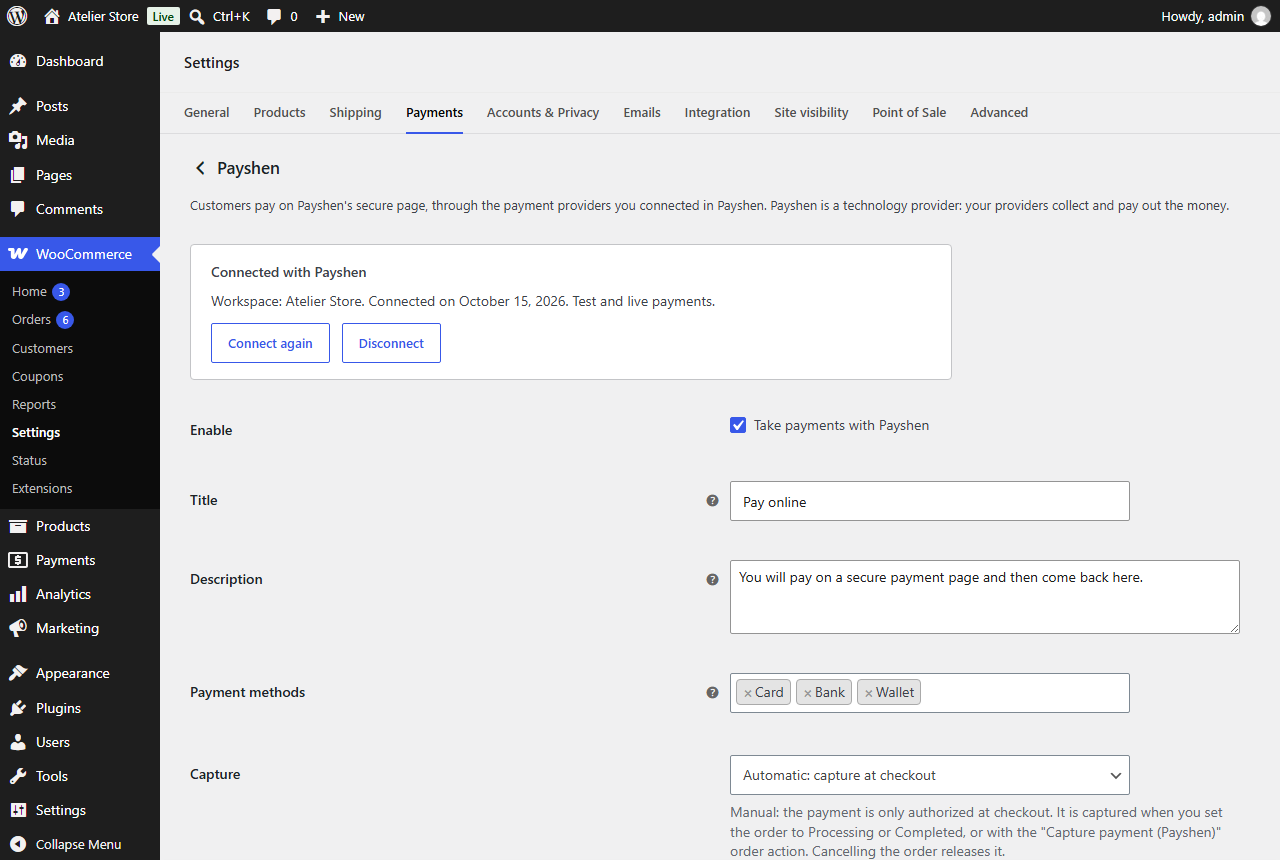
- Go to WooCommerce > Settings > Payments > Payshen and click “Connect with Payshen”.
- Sign in to Payshen, pick your workspace and approve. You come back to the store with its test API key and webhook set.
- Enable Payshen and place a test order.
- When everything works, click “Connect again”, tick live payments and approve, then turn off Test mode.
You can also enter keys by hand: a test API key (ps_test_…) from Payshen > Developers, and the signing secret (whsec_…) of a webhook endpoint for the Webhook URL shown in the plugin settings.
BUJ
-
Do I need a Payshen account?
-
Yes. The plugin connects your store to Payshen, which routes payments to your providers. Payshen is priced per merchant: ask for a quote.
-
How do I connect my store?
-
Click “Connect with Payshen” in the plugin settings, sign in to Payshen and approve the store. Payshen creates the store’s API keys and webhooks and hands them to the store directly, so there is nothing to copy. The keys can only create, read, capture, release and refund payments.
-
What does Disconnect do?
-
It revokes the store’s keys in Payshen, removes its webhooks there, and clears them from the store. Keys you entered by hand are cleared from the store but not revoked.
-
Does Payshen hold my money?
-
No. Payshen is a technology provider. Your payment providers collect the money and pay it out to you, under your own contracts with them.
-
Which payment providers are supported?
-
More than 60, including Stripe, Adyen, Checkout.com, PayPal, Klarna, Mollie, Worldpay, Worldline, Nuvei, dLocal, Rapyd, Razorpay, Mercado Pago, Xendit and Flutterwave. The full list is at payshen.com/providers.
-
Can I use several payment providers at the same time?
-
Yes, that is what Payshen is for. Connect them in Payshen, then set routing rules (by country, currency, amount or method) or let smart routing choose. The store needs no change when you add one.
-
What is smart routing?
-
For each payment, Payshen estimates how likely each of your providers is to approve it and what it would cost, and sends the payment where you keep the most. It learns from real outcomes. You can also set fixed rules, a priority order, or failover only.
-
Which payment methods can customers use?
-
The ones your connected providers can take, among those you allow in the settings: card, bank, wallet and crypto. The customer picks one on the provider’s payment page.
-
Is it PCI compliant?
-
Customers enter card details on the payment provider’s page, never in your store, so card data does not pass through your site.
-
Does it work with the block checkout?
-
Yes. It supports the Cart and Checkout blocks and the classic shortcode checkout.
-
Does it support refunds?
-
Yes. Refund from the order screen, in full or in part. The refund goes through the provider that took the payment.
-
How does manual capture work?
-
Set Capture to Manual. Paid orders wait On hold with the payment authorized. Set the order to Processing or Completed, or use the order action “Capture payment (Payshen)”, to collect the money. If you lower the order total first, only the new total is captured. Cancelling the order releases the authorization.
-
What happens if a webhook does not arrive?
-
The store checks the payment with Payshen 5 minutes, 30 minutes, 2 hours, 12 hours and 48 hours after checkout, until it has a final answer. You can also use the order action “Check payment status (Payshen)” at any time.
-
What does the customer see if their payment is still being confirmed?
-
The order received page says the payment is being confirmed. The order moves to Processing, and the customer gets the usual email, as soon as Payshen confirms the payment.
-
What if a customer’s payment is declined?
-
The order is marked Failed and the customer can pay again from the order page. If the first provider declined for a reason another provider might not, Payshen sends the second try to a different provider first.
-
Can I test without real money?
-
Yes. Turn on Test mode and use a test API key (ps_test_…). Test payments run in the Payshen sandbox, and a test payment can never mark an order paid once the store takes live payments.
-
Which currencies are supported?
-
Every currency your connected providers accept. Amounts are sent in each currency’s own minor unit, so zero-decimal currencies such as JPY are charged correctly.
-
Can I use the Payshen staging environment?
-
Add
define( 'PAYSHEN_API_BASE_URL', 'https://staging.payshen.com' );to wp-config.php. The settings page says when a non-production API is in use. -
Where are the logs?
-
WooCommerce > Status > Logs, source “payshen”. Errors are always logged. Turn on Debug log for more. Keys, secrets and customer details are never logged.
-
Is the plugin open source?
-
Yes, GPL-2.0-or-later. Development happens on GitHub, where you can report issues. For security reports, see SECURITY.md in that repository.
Atsauksmes
Par šo spraudni nav atsauksmju.
Autori un izstrādātāji
“Payshen for WooCommerce” ir atvērtā pirmkoda programmatūra. Šo spraudni ir veidojuši šādi cilvēki.
Līdzdalībnieki
Tulkot “Payshen for WooCommerce” savā valodā.
Vai jūs interesē attīstība?
Pārlūkojiet kodu, apmeklējiet SVN krātuvi vai abonējiet attīstības žurnālu, ko izveidojis RSS.
Izmaiņu žurnāls
1.1.0
- Security: the customer is sent to a payment page only over https (plain http is allowed for localhost and 127.0.0.1, for local development). Before, an http address would have been used too.
- Security: a payment id is checked before it is put into an API address (1 to 128 letters, digits, “_” or “-“). An id such as “.” or “..” could otherwise have reached a different Payshen endpoint; it is now refused with
invalid_payment_idand nothing is sent. - Connect with Payshen: sign in to Payshen and approve the store; its API keys and webhooks are set up for you. Secured with a one-time code and PKCE. Disconnect revokes the keys in Payshen.
- A live key saved before your Payshen workspace is approved for live payments now says so, and what to do, instead of reporting a key without permissions. A suspended workspace is named as such.
- Saved API keys and webhook signing secrets are no longer written into the settings page: each box shows the saved one by its prefix and last four characters, a box left empty keeps it, and “Remove the saved one” clears it.
- The cancel link from Payshen’s page asks Payshen at most once every few seconds, and an unsigned webhook request is logged as a warning at most once in ten minutes, so neither can be used to spend the store’s API allowance or fill its logs.
1.0.3
- With automatic capture, a payment the provider has authorized but not yet captured no longer tells you to capture it yourself; the order note says the provider is capturing it.
- Plugin page: fuller description, FAQ and screenshots.
1.0.2
- Security: a test-mode payment never marks an order paid once the store takes live payments.
- Repeated visits to the thank-you page no longer queue payment-service reads.
- A payment page address is checked before the customer is sent back to it.
- Uninstall removes the settings from every site of a multisite network.
1.0.1
- Ready for the WordPress.org plugin directory: contributor and version headers. No change in behaviour.
1.0.0
- First release.