
Apraksts
Posts to PDF lets administrators export WordPress content as PDF directly from the backend.
Free features include:
* Export selected posts/pages into one PDF file.
* Search and paginated selection.
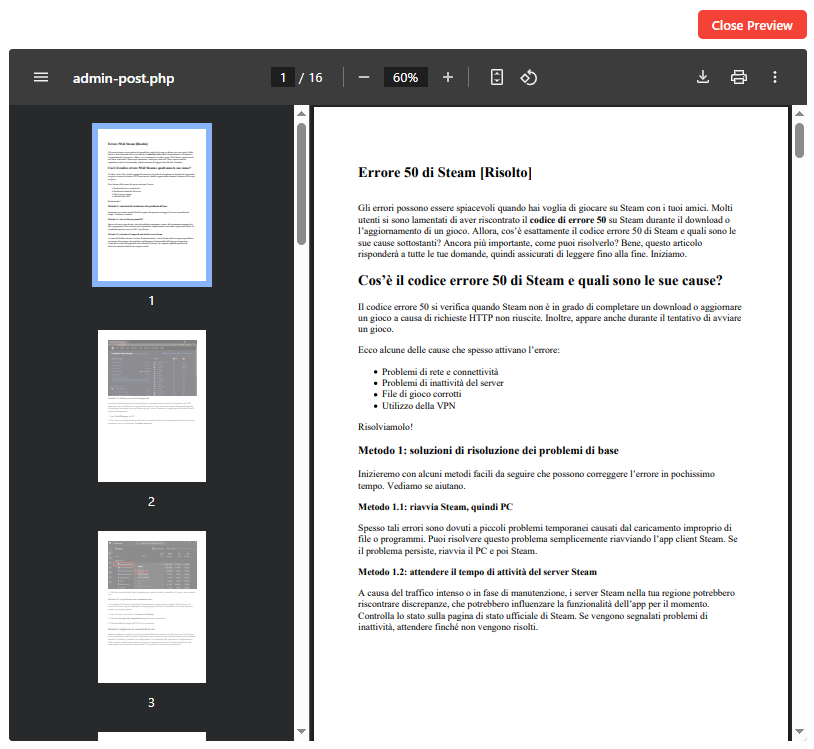
* PDF preview.
* PDF style options such as featured image, author, date, excerpt, page size and orientation.
PRO features include:
* Select all posts/pages from a site or search result.
* Export each post/page as a separate PDF file.
* Progress bar for large batch exports.
* Unlimited bulk export workflow.
Upgrade page: https://softwareapp.it/wordpress-posts-to-pdf/
Ekrānuzņēmumi

Uzstādīšana
- Upload the plugin folder to
/wp-content/plugins/. - Activate the plugin through the Plugins menu in WordPress.
- Open Posts to PDF from the WordPress admin menu.
- Select content and start the export.
BUJ
-
Can I select all posts from a site?
-
Yes. In the PRO version you can select all posts/pages from the current post type or from the current search results.
-
Can I export one PDF per post/page?
-
Yes. The PRO version includes Separate PDFs mode: 1 post/page = 1 PDF file.
-
Can I choose the local folder where PDFs are saved?
-
PDFs are downloaded by the browser. The local download folder is controlled by the browser/operating system. The plugin can generate files progressively, but WordPress cannot directly choose a user’s local folder.
-
Can I customize the PDF appearance?
-
Yes. You can include/exclude featured image, author, date and excerpt, and choose page size and orientation.
Atsauksmes


Autori un izstrādātāji
“Posts to PDF – Backend Batch Export” ir atvērtā pirmkoda programmatūra. Šo spraudni ir veidojuši šādi cilvēki.
Līdzdalībnieki
Tulkot “Posts to PDF – Backend Batch Export” savā valodā.
Vai jūs interesē attīstība?
Pārlūkojiet kodu, apmeklējiet SVN krātuvi vai abonējiet attīstības žurnālu, ko izveidojis RSS.
Izmaiņu žurnāls
2.1
- Fixed bulk export ID collection so “Select all results/site” exports all matching items instead of being affected by admin pagination or third-party query filters.
- Improved compatibility with security/cache plugins and custom post type admin filters.
2.0
- Fixed Preview when using Select all results/site in PRO mode. Preview now loads the first 5 items from the full selected scope instead of showing the upgrade popup.
- Improved PRO unlock code validation by ignoring spaces and non-alphanumeric characters.
- Bumped admin asset version to avoid cached JavaScript from optimization plugins.
1.7
- Fixed the Free watermark so it is visible again and repeated on every PDF page.
- Added an HTML fixed-position watermark layer plus Dompdf canvas stamping for better compatibility.
- External images that Dompdf cannot reliably load are removed from the PDF instead of showing a broken-image box with an X.
- Fixed ZIP downloads so files are saved with the correct .zip extension.
- Renamed export mode to “Multiple Separate PDF files (1 Post in 1 PDF)”.
- Increased the Free separate PDF limit from 5 to 20 posts/pages.
1.5
- Added preview loading spinner/progress indicator while Dompdf prepares the inline preview.
- Added Free watermark to exported PDFs. PRO removes the watermark.
- Separate PDF export is now available in Free for up to 20 posts/pages.
- Separate PDFs are packaged into a single ZIP download to avoid browser multiple-download warnings.
1.3
- Improved admin interface.
- Added PRO unlock field.
- Added select all results/site workflow.
- Added separate PDFs export mode with progress bar.
- Added settings for filename prefix, page size, orientation and PDF content metadata.
- Improved PDF styling.
1.2
- Corrections and improvements.
1.1
- Minor corrections.
1.0
- Initial release.