
Apraksts
PreOrder Pilot is a free WooCommerce pre-order plugin that helps you sell products before stock arrives. Accept full payment now, give shoppers an expected availability date and manage paid pre-orders inside WordPress.
Use it for upcoming product launches, new collections and products awaiting restock. Enable pre-orders on unlimited simple products without creating an account, entering a license key or writing code.
From coming soon to a paid order
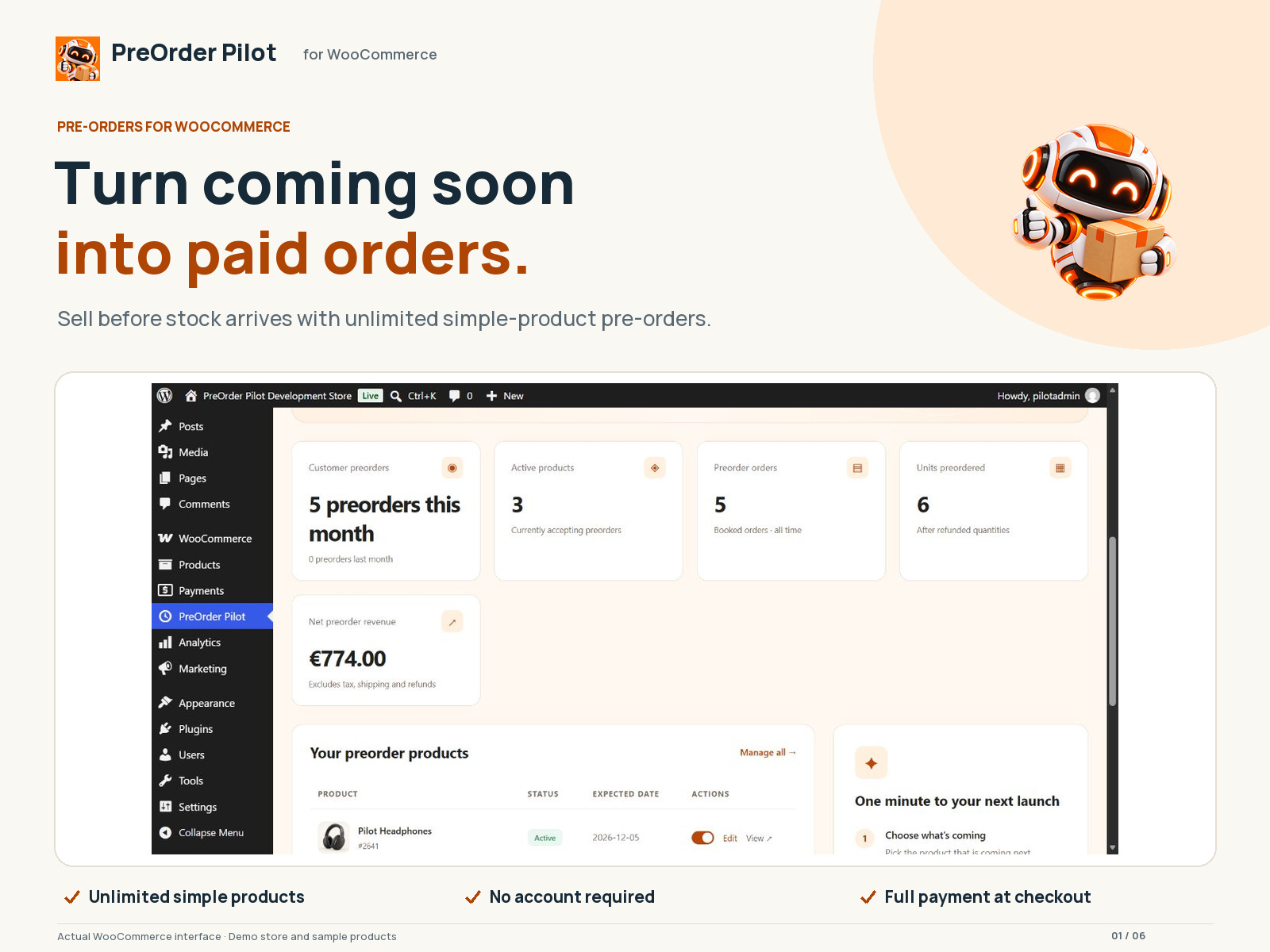
- Choose your product. Open PreOrder Pilot, choose Add preorder and select a simple WooCommerce product.
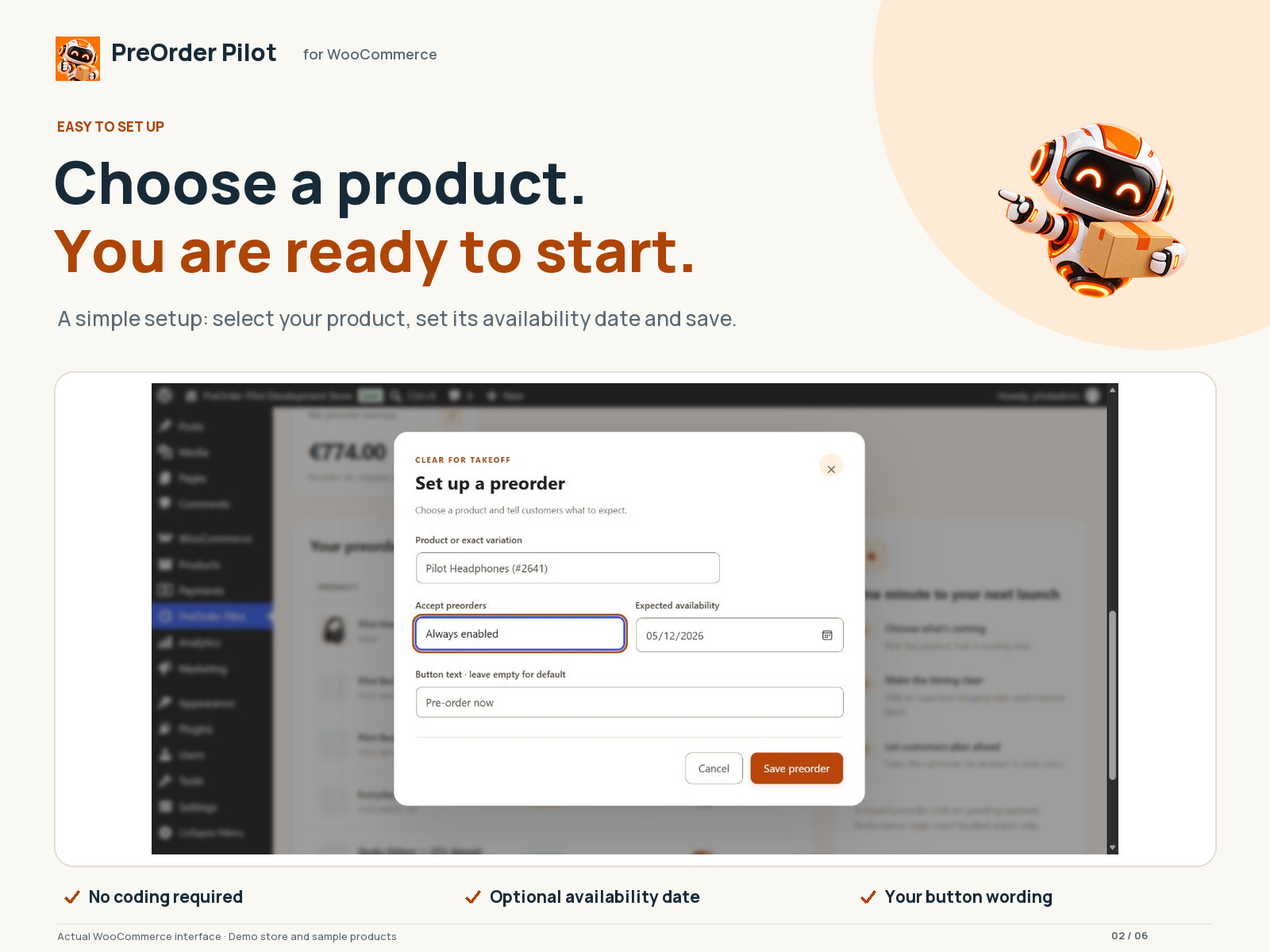
- Set clear expectations. Add an optional availability date and choose the pre-order button wording.
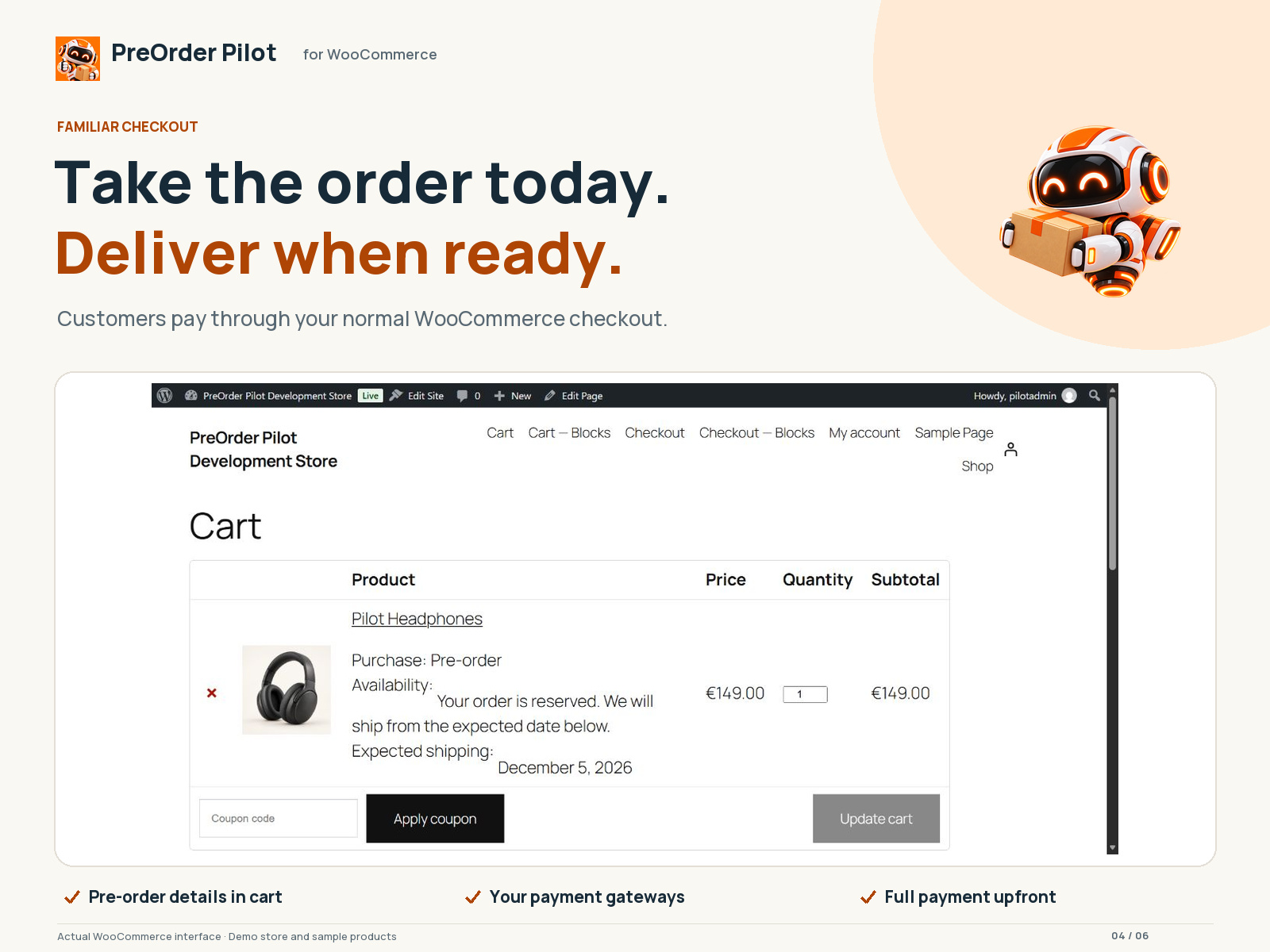
- Start taking pre-orders. Customers pay through your usual WooCommerce checkout and receive a pre-order confirmation email.
- Release when ready. Find paid pre-orders in their dedicated status and move them to Processing when products are ready to fulfil.
Why choose PreOrder Pilot?
- Start simply. A guided setup and one dashboard keep product settings and pre-orders easy to manage.
- Sell without a product cap. The free plugin supports unlimited simple products and orders, with no time limit.
- Make delivery expectations clear. Pre-order details follow the customer from the product page through cart, checkout and confirmation emails.
- Work inside your store. Use your WooCommerce checkout, payment gateways and email settings. The free plugin requires no account and makes no remote requests.
- Keep paid pre-orders easy to find. A dedicated Pre-ordered status separates them in your order workflow until you release them.
The free plugin collects full payment at checkout. Deposits, pay later, variable products and automatic stock rules belong to the separate optional Growth add-on, described below.
Features
Everything below is free, with no product limit and no license key:
- Pre-orders for any number of simple products, each with an optional expected availability date.
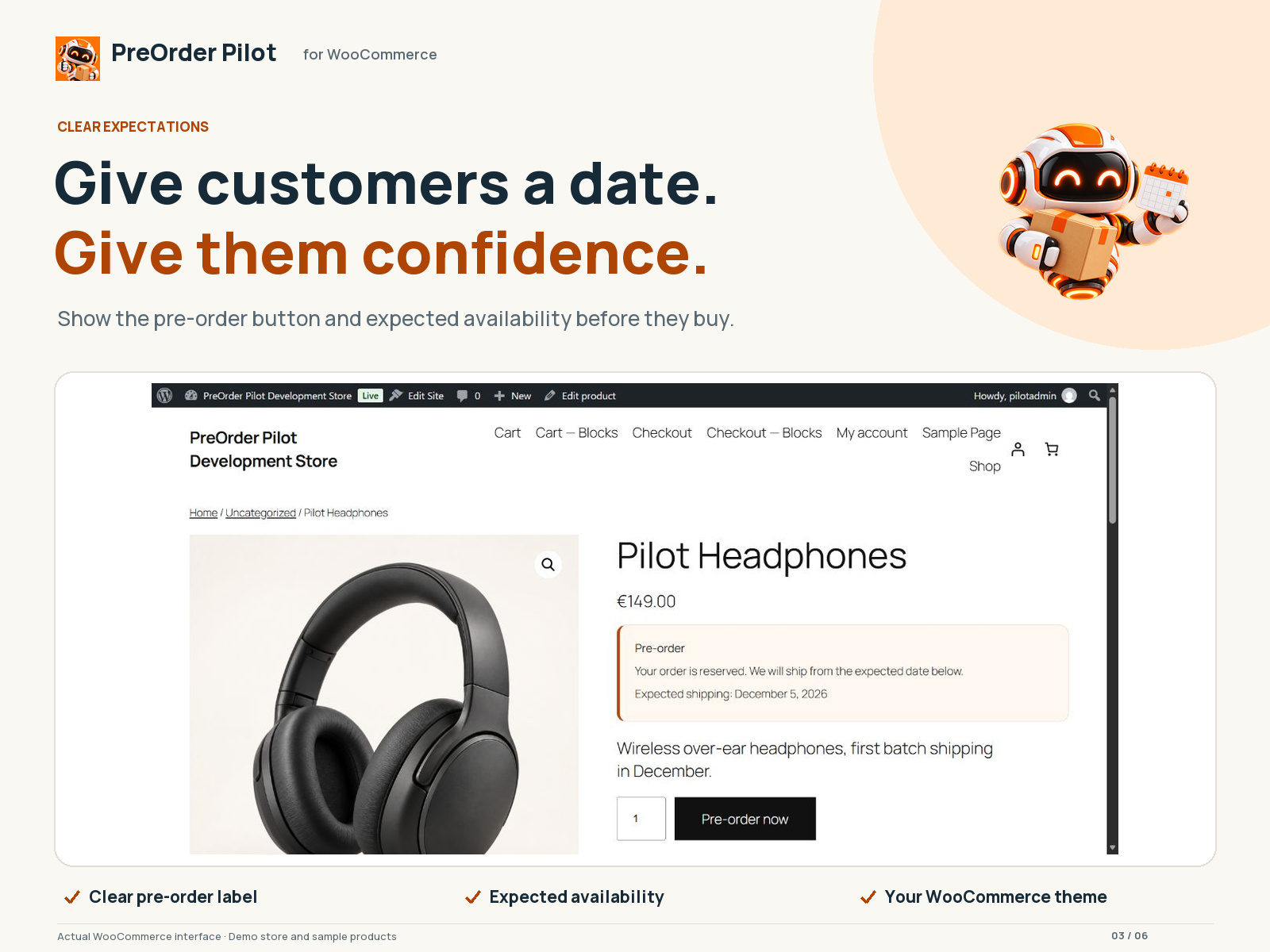
- A custom pre-order button label and an availability message on the product page, in the cart, at checkout, in the order and in emails.
- Full payment at checkout using your normal WooCommerce gateways.
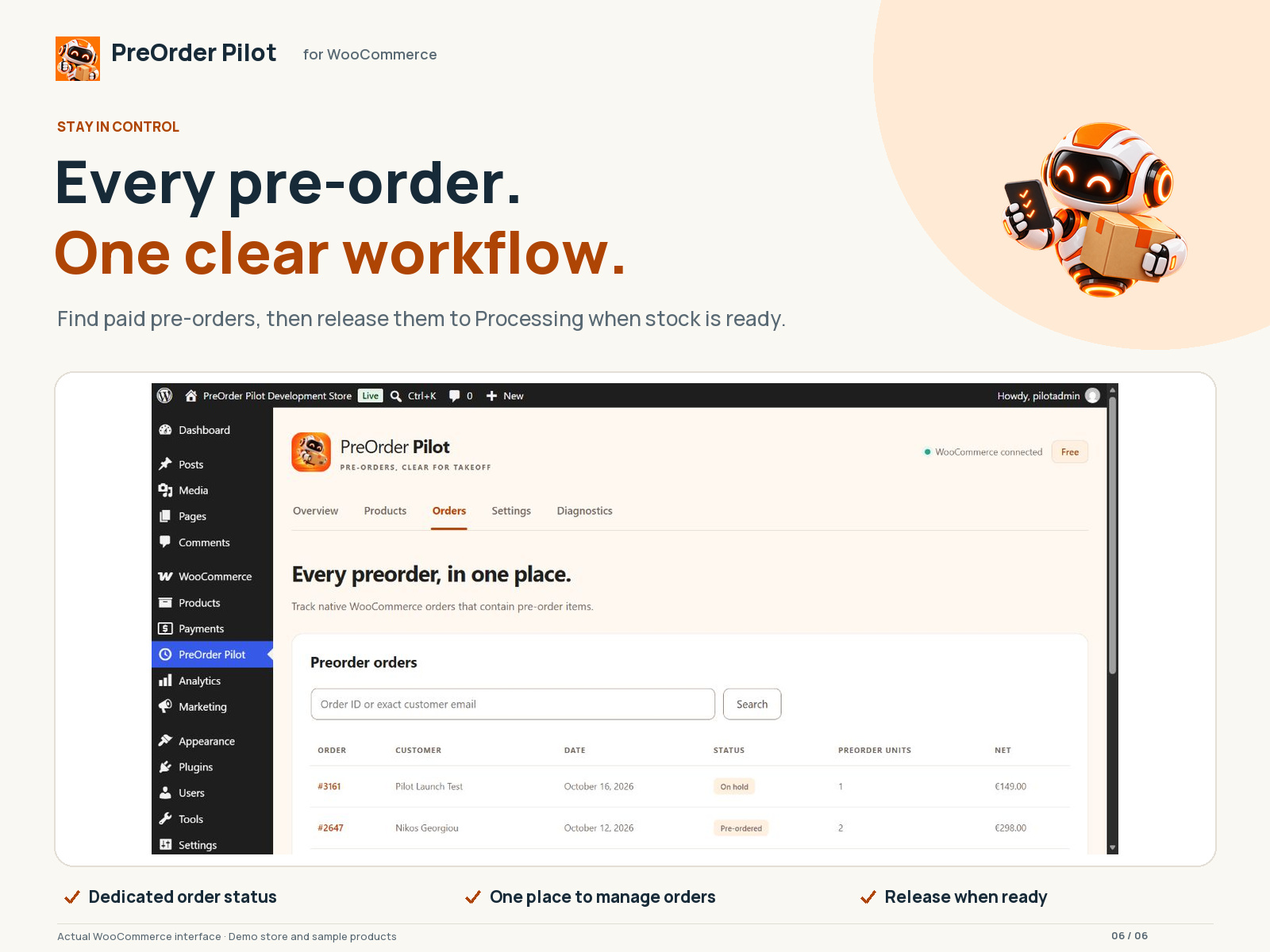
- A dedicated Pre-ordered order status (HPOS and legacy storage), so paid pre-orders are easy to find and are not shipped by mistake.
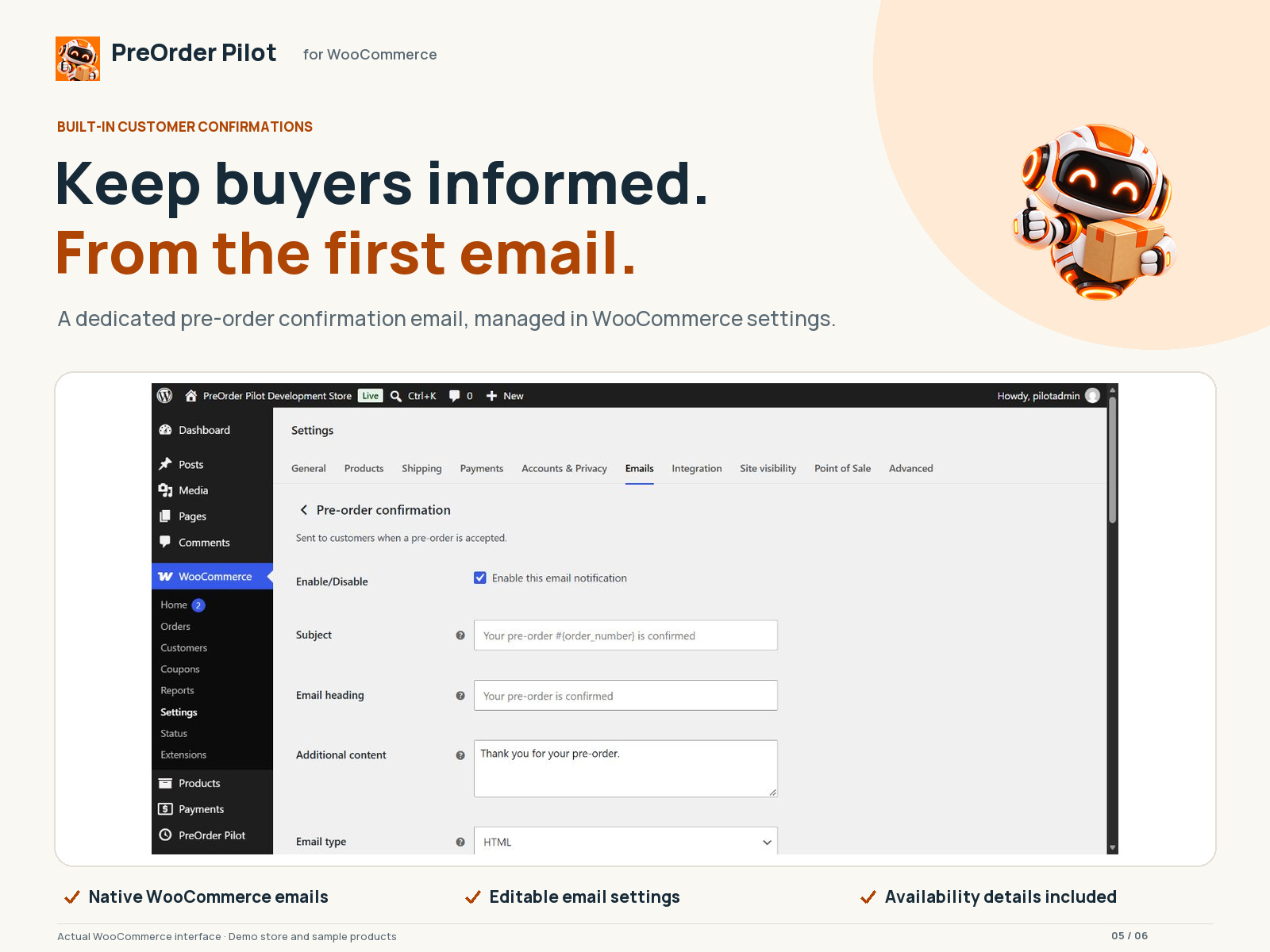
- A “Pre-order confirmation” customer email built on WooCommerce emails. Edit it under WooCommerce Settings Emails, or override the template in your theme.
- An admin dashboard with pre-order totals, a product list with search, an order list, and bulk enable, pause, set-date and mark-released actions.
- Mark a product released and its pre-ordered orders move to Processing.
- WooCommerce Classic and Cart/Checkout Blocks support.
- Every string is translation-ready; community translations are delivered through WordPress.org language packs.
- No account, no telemetry and no remote requests. Everything runs inside your store.
Free vs Growth
The free plugin supports simple products and full payment at checkout. Variable products, deposits, pay later, automatic stock rules and back-in-stock alerts require the separate Growth add-on.
PreOrder Pilot is complete on its own. PreOrder Pilot Growth is a separate, optional paid plugin that extends it through the public hooks below. It adds:
- Deposits (fixed or percentage) and pay-later orders, with balance payment links and reminders.
- Mixed-cart rules: allow, block, or split pre-order items into their own order.
- Variable products and per-variation settings.
- Automatic pre-orders when out of stock, and automatic release on restock.
- Pre-order rules by product category.
- Quantity limits with atomic reservations, start and end dates, and discounts.
- Extra customer emails: release date changed, product released, balance reminder, and “email me when available” alerts.
- CSV export of pre-orders and subscribers.
- Countdown timers, a launch calendar and per-country allocations.
- Marketing webhooks for Klaviyo, Mailchimp, Omnisend and similar tools.
This free plugin contains none of the Growth code and never limits or locks its own features.
For developers
Actions: preorder_pilot_loaded, preorder_pilot_settings_saved, preorder_pilot_release_date_changed, preorder_pilot_product_released, preorder_pilot_order_confirmed, preorder_pilot_product_panel_end, preorder_pilot_settings_fields.
Filters: preorder_pilot_setting_defaults, preorder_pilot_sanitize_settings, preorder_pilot_validate_settings, preorder_pilot_is_active, preorder_pilot_modes, preorder_pilot_supported_product_types, preorder_pilot_availability_message, preorder_pilot_product_field_definitions, preorder_pilot_snapshot, preorder_pilot_cart_item_data, preorder_pilot_email_classes, preorder_pilot_admin_tabs, preorder_pilot_use_preorder_status.
Ekrānuzņēmumi
Uzstādīšana
- Install and activate WooCommerce.
- Upload the PreOrder Pilot ZIP through Plugins > Add New > Upload Plugin, then activate it.
- Open PreOrder Pilot and choose Add preorder, or open a simple WooCommerce product and its PreOrder Pilot section.
- Choose the product, enable pre-orders and set the expected availability date. Save.
- View the product and complete a checkout in your local or staging store before enabling live sales.
- Optional: to add Growth features, install the separate PreOrder Pilot Growth plugin and enter your license key under PreOrder Pilot Growth license.
BUJ
-
How is a pre-order different from a WooCommerce backorder?
-
WooCommerce backorders let customers order products that are out of stock. PreOrder Pilot adds an optional expected availability date, clear pre-order labels and messages, and a dedicated Pre-ordered status for paid pre-orders. You choose which simple products accept pre-orders; automatic activation when stock runs out requires Growth.
-
Can I use variable products, deposits or pay later for free?
-
The free plugin supports simple products with full payment at checkout and has no product limit. Variable products, deposits and pay-later orders require the separate paid PreOrder Pilot Growth plugin.
-
Does Free require registration?
-
No. Free works locally within WordPress and WooCommerce.
-
How do I upgrade to Growth?
-
Choose a plan at https://licenses.weareplano.gr/buy?tier=growth&period=monthly. After checkout you get a license key and a download link. Install PreOrder Pilot Growth next to this plugin and activate the key under PreOrder Pilot Growth license. Your account page at https://licenses.weareplano.gr/portal shows your keys, sites and downloads.
-
Is there a free trial?
-
Yes, every Growth plan starts with a 14-day free trial. A card is needed to start; you can cancel before the trial ends and you will not be charged.
-
Can I move my license to another site?
-
Yes. Deactivate it on the old site (or from your account page), then activate it on the new one. Local and staging sites (localhost, .local, .test, staging.*) do not count towards your site limit.
-
Which emails do customers get?
-
The free plugin sends “Pre-order confirmation” after payment. You can turn it off or edit it under WooCommerce Settings Emails. Growth adds release date changed, product released and balance reminder emails.
-
Is there a limit on products or orders?
-
No. The free plugin has no product, order or time limit.
-
Does the free plugin contact your servers?
-
No. It makes no remote requests and collects no data. The only external link is an optional, dismissible notice about Growth on the PreOrder Pilot dashboard.
-
Are Shopify and Wix supported?
-
This package runs in WordPress with WooCommerce. It does not install into Shopify or Wix.
-
Does this work with every theme and gateway?
-
WooCommerce-native hooks support standard product/cart/checkout flows. Custom builders, express checkout extensions, custom statuses and gateways that bypass normal order hooks need their own integration verification. Please test your own gateway and theme on a staging site first.
-
What customer data is stored?
-
The free plugin stores pre-order settings on products and a pre-order snapshot (availability date and label) on order items. It stores no extra customer data and sends nothing to PLANO.
-
What happens during deactivation or uninstall?
-
Deactivation keeps all settings. On uninstall, data is kept unless you tick “Delete plugin settings and product pre-order settings when uninstalling” in PreOrder Pilot Settings. Historical order details always stay in WooCommerce.
-
How are translations provided?
-
All strings use the preorder-pilot text domain. Community translations are delivered through WordPress.org language packs; locale files are not bundled in this package. You can contribute on translate.wordpress.org or use Loco Translate. Dates follow the WordPress site timezone and locale.
Atsauksmes
Par šo spraudni nav atsauksmju.
Autori un izstrādātāji
“PreOrder Pilot – Pre-Orders for WooCommerce” ir atvērtā pirmkoda programmatūra. Šo spraudni ir veidojuši šādi cilvēki.
Līdzdalībnieki
Tulkot “PreOrder Pilot – Pre-Orders for WooCommerce” savā valodā.
Vai jūs interesē attīstība?
Pārlūkojiet kodu, apmeklējiet SVN krātuvi vai abonējiet attīstības žurnālu, ko izveidojis RSS.
Izmaiņu žurnāls
0.3.2
- Show distinct customer preorder counts for this month and last month using the store timezone.
- Exclude balance invoices, failed orders and cancelled orders from monthly customer preorder counts.
- Refresh dashboard styling and PLANO mascot assets.
- Preserve PHP 7.4 compatibility when reporting with custom dates.
0.3.1
- Harden output escaping and use allowlisted, escaped quick-editor attributes.
- Align admin notice transient prefixes with the plugin namespace.
- Use WordPress.org language packs instead of bundled locale files.
0.3.0
- Changed: the free plugin has no product limit and no license checks. Paid features now live only in the separate Growth plugin.
- New: “Pre-ordered” order status for paid pre-orders (HPOS and legacy storage).
- New: “Pre-order confirmation” customer email built on WooCommerce emails, with a theme-overridable template.
- New: mark released moves pre-ordered orders to Processing.
- New: public actions and filters for extensions.
- New: Greek translation and an updated translation template.
- Improved: WordPress coding standards and Plugin Check compliance.
0.2.1
- Prevent scheduled products from accepting ordinary purchases before the preorder opening date.
- Keep global capacity shared across countries when country allocations are not configured.
- Correct availability signup and delivery eligibility for in-stock and active preorder products.
- Add fixed per-item deposits and exportable consented availability subscribers.
- Add validated bulk expected-shipping-date updates.
- Include consent-based restock email and subscriber export in Free, within the existing three-product limit.
0.2.0
- Added product and exact-variation pre-order settings and customer-facing integration.
- Added atomic capacity handling across checkout, failed/cancelled orders and refunds.
- Added the dedicated dashboard, bulk actions, real order reporting and CSV export.
- Added separately enabled Growth scheduling, discounts, email availability alerts and balance payment links.
- Added release packaging, inventory documentation and automated development verification.
0.1.0
- Initial plugin foundation and settings screen.