

Apraksts
Do you want to share any location? ShareWhere plugin shares the location you want.
You just have to select location in google map and insert that location into post/page.
Roadmap
- Share location in BuddyPress Comments
- Share location in bbPress Forums
- include map instead of location name
Ekrānuzņēmumi

Add Location 
Google Map 
Search Places 
Location Type 
After insert into post/page 
Location on frontend 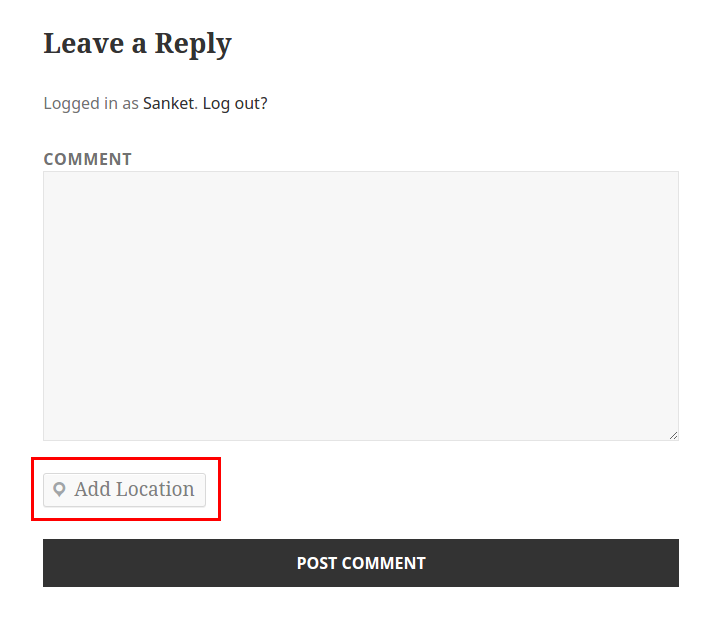
Add Location in WordPress Comment 
Add Location in BuddyPress Activity
Uzstādīšana
From your WordPress dashboard
- Visit ‘Plugins > Add New’
- Search for ‘ShareWhere’
- Activate ShareWhere from your Plugins page.
From WordPress.org
- Download ShareWhere.
- Upload the ‘sharewhere’ directory to your ‘/wp-content/plugins/’ directory, using your favorite method (ftp, sftp, scp, etc…)
- Activate ShareWhere from your Plugins page.
BUJ
- Can I use my existing WordPress theme?
-
Yes! ShareWhere works out-of-the-box with nearly every WordPress theme.
Atsauksmes

3 septembris, 2016
1 atbilde
Great work guys love it.

8 februāris, 2017
Nice Plugin ! I like it, Great work Guys 🙂
Autori un izstrādātāji
“ShareWhere” ir atvērtā pirmkoda programmatūra. Šo spraudni ir veidojuši šādi cilvēki.
Līdzdalībnieki


Tulkot “ShareWhere” savā valodā.
Vai jūs interesē attīstība?
Pārlūkojiet kodu, apmeklējiet SVN krātuvi vai abonējiet attīstības žurnālu, ko izveidojis RSS.
Izmaiņu žurnāls
1.2 – Oct 30, 2015
- Add Location in BuddyPress Activity
1.1 – Aug 31, 2015
- Add Location in WordPress Comment
1.0.1 – Aug 20, 2015
- Removed unwanted code
1.0 – Aug 20, 2015
- Inital Release
- Share location using google map in post/page
- Added Readme