
Apraksts
Tabbed interfaces can save a lot of vertical space and make your website look less cluttered.
Accordion type tabs are particularly useful if you want to have longer tab titles or more tabs that
wouldn’t otherwise fit into the given horizontal width.
Features:
- Use other widgets for tab content and specify custom tab titles.
- Make tabs rotate in a set interval, which makes them more noticeable and prominent.
- Set a random start tab on each page load so that all tabbed content gets equal exposure.
- Make unlimited number of tabbed widgets that can be then used as regular widgets under ‘Design’ › ‘Widgets’.
- Ability to add custom style sheet under your theme folder. Just create a folder name “tabbed-widgets-reloaded” under your theme folder and create a file “tabbed-widgets.css” and out your all custom styles in it.
Why are Tabbed Widgets better than your theme’s built-in tabs?
With Tabbed Widgets you can use any widget inside the tabbed interface and you are no longer limited to what the theme designer had in mind.
Tabbed Widget design services
Tabbed widgets created by this plugin have very little CSS applied by default because every theme is very different. So, if you like to customize it’s design, you can drop in a line to me. I will help you to achieve your goal.
Ekrānuzņēmumi
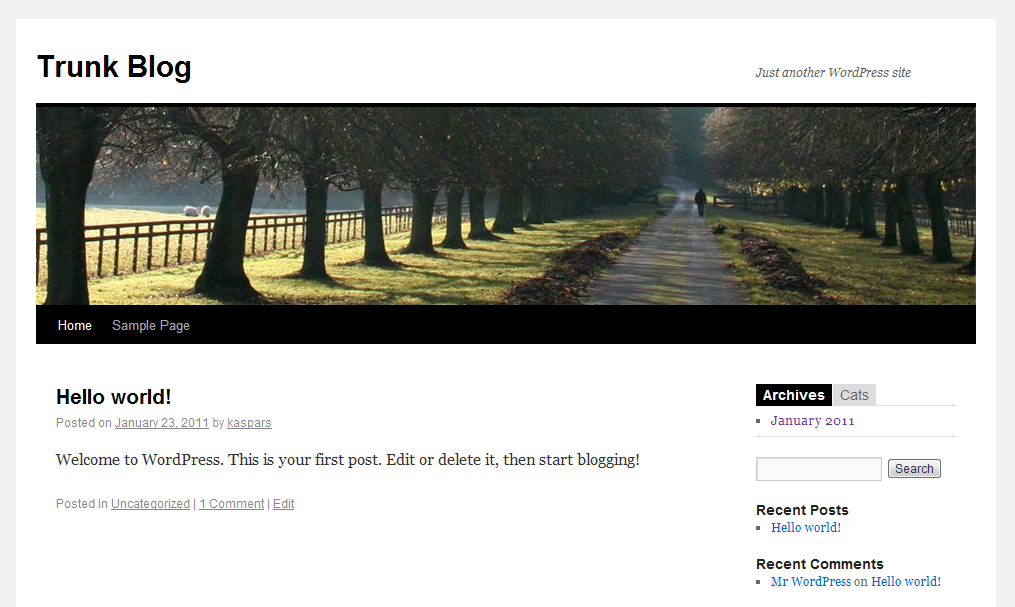
Tab layout on Twenty Ten 
Accordion layout on Twenty Ten 
Tabbed Widgets settings
Uzstādīšana
-
If you have it’s parent “Tabbed Wigdets” installed, please uninstall it.
-
Search for “Tabbed Widgets Reloaded” in ‘Plugins’ › ‘Add New’. Install it.
-
Under ‘Design’ › ‘Widgets’ drag a new “Tabbed Widget” (from the list of Available Widgets) into a sidebar where you want it to appear.
-
Widgets that have configuration settings must be placed in the ‘Invisible Sidebar Area’ before they will appear in the drop-down menu.
BUJ
- Widget X doesn’t appear in the drop-down selection
-
It is most likely that the widget must be configured before it can be used —
place it in the ‘Invisible Sidebar Area’, refresh the Widget
admin page and it should appear in the drop-down selection.
Atsauksmes
Par šo spraudni nav atsauksmju.
Autori un izstrādātāji
“Tabbed Widgets Reloaded” ir atvērtā pirmkoda programmatūra. Šo spraudni ir veidojuši šādi cilvēki.
Līdzdalībnieki
Tulkot “Tabbed Widgets Reloaded” savā valodā.
Vai jūs interesē attīstība?
Pārlūkojiet kodu, apmeklējiet SVN krātuvi vai abonējiet attīstības žurnālu, ko izveidojis RSS.
Izmaiņu žurnāls
-
0.2: Fixed annoying warning message when activated.
-
0.1: Initial public release.